Ever wondered about those 'Roblox booster APKs' and if they actually work? Many players search for ways to enhance their Roblox experience, hoping for smoother gameplay and reduced lag. This comprehensive guide delves into the truth behind unofficial Roblox booster APKs, highlighting the significant risks associated with downloading third-party software not sanctioned by Roblox. We'll explain why these unofficial tools often lead to more problems than solutions, including malware infections and potential account bans. More importantly, this article provides legitimate and safe methods to optimize your Roblox performance. Discover how to genuinely boost your gameplay through proper device maintenance, in-game settings adjustments, and network optimization, ensuring a secure and enjoyable adventure in the vast Roblox universe. Learn to protect your account, identify scams, and make informed choices to keep your gaming experience top-notch without resorting to dangerous shortcuts. We explore common misconceptions and offer reliable advice for endless hours of fun.
Hey there, fellow Roblox adventurer! Ever found yourself wondering how to squeeze every last drop of performance out of your game, especially when you hear whispers of "Roblox booster APKs"? It's a common quest, and honestly, who doesn't want smoother gameplay? This isn't just another dry tech article; consider this this your ultimate, living FAQ, constantly updated to keep you in the loop with the latest best practices for 2024. We're going to dive deep, cutting through the noise to get you real answers about boosting your Roblox experience, safely and effectively. We'll explore everything from basic settings to protecting your account, ensuring your playtime is epic, not epic-fail due to lag or worse, account compromise.
We know you’re looking for that edge, that little something that makes your favorite Roblox worlds pop and run seamlessly. But the world of unofficial "boosters" is a minefield, full of promises that often lead to disappointment, security risks, or even a dreaded account ban. Don't worry, we're here to guide you to the safe side, armed with knowledge and actionable tips. Forget the shady downloads; we’ll show you how to genuinely optimize your setup, leverage in-game features, and keep your account secure so you can focus on building, playing, and connecting with friends.
Most Asked Questions about Roblox Booster APK
What is a Roblox booster APK and is it safe to download?
A Roblox booster APK is an unofficial, modified application claiming to enhance game performance. It is generally not safe; these downloads often contain malware, viruses, or lead to account bans. Always use official Roblox channels to protect your device and account from risks. Prioritize legitimate optimization methods.
How can I legitimately boost Roblox performance on my PC or mobile?
To legitimately boost Roblox performance, lower in-game graphics settings, close background applications, ensure your device's drivers and OS are updated, and maintain a stable internet connection. Restarting your device regularly also helps. These safe methods enhance gameplay without risks.
Why should I avoid unofficial Roblox booster apps and APKs?
You should avoid unofficial Roblox booster apps because they pose significant security risks, including malware infection, data theft, and account compromise. Additionally, using unauthorized third-party software violates Roblox's terms of service, which can lead to a permanent account ban and loss of all progress.
What are the best tips and tricks for reducing lag in Roblox?
Reducing Roblox lag involves several tricks: use a wired internet connection if possible, lower your graphics quality in settings, close all other open applications, and restart your router and device before playing. Ensure your system software and Roblox app are fully updated to the latest versions.
How does internet speed impact my Roblox experience, and can I improve it?
Internet speed, particularly latency, significantly impacts your Roblox experience, causing lag if poor. You can improve it by using a wired Ethernet connection, ensuring a strong Wi-Fi signal, optimizing router placement, and closing bandwidth-heavy applications on your network to free up resources.
Beginner Questions & Understanding Boosters
What exactly are Roblox booster APKs?
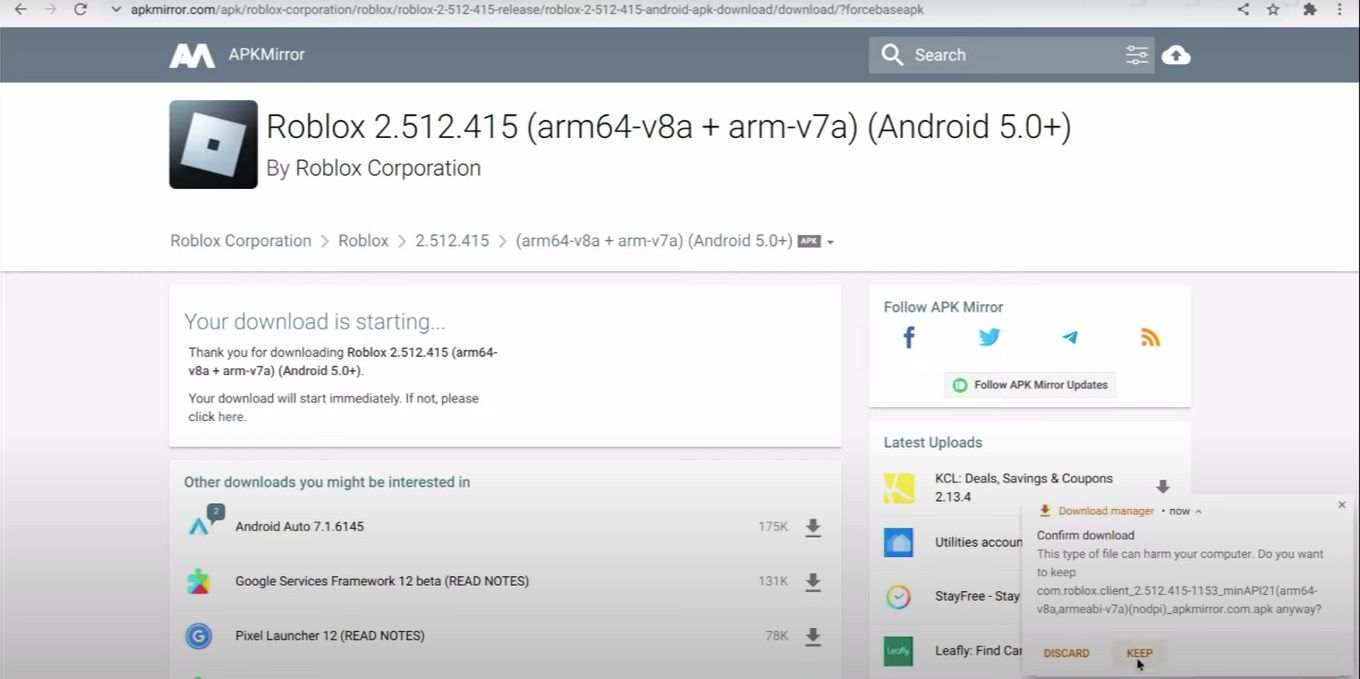
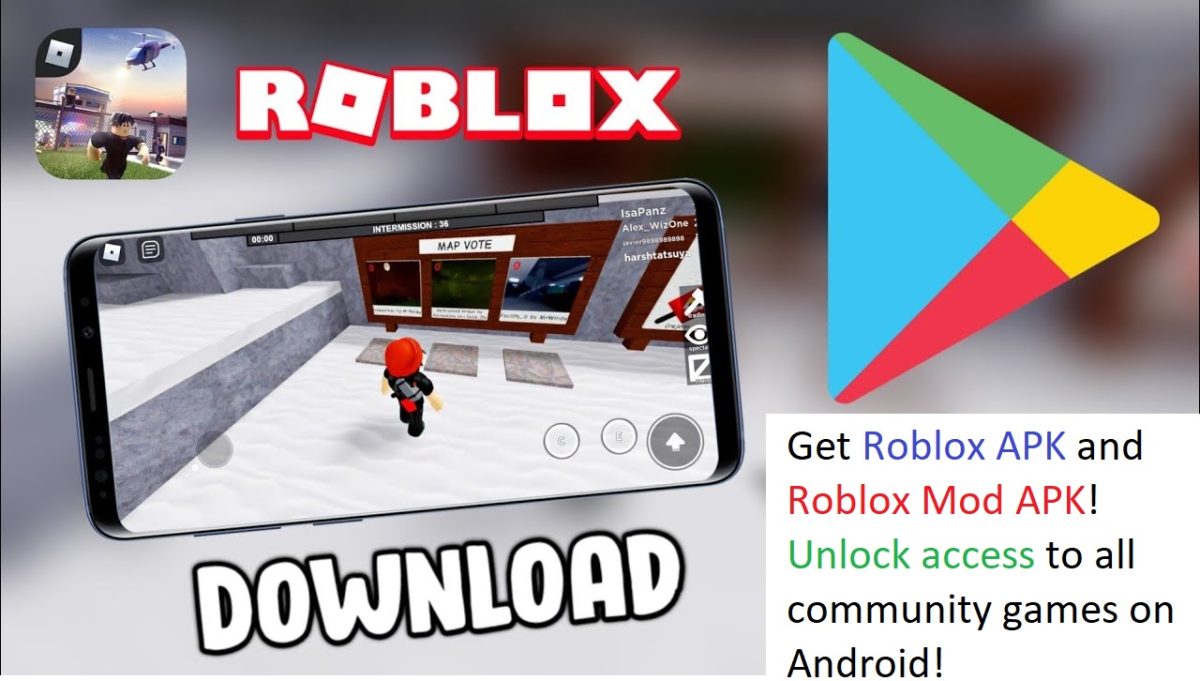
Roblox booster APKs are unofficial application files, primarily for Android, that claim to enhance Roblox's performance, reduce lag, or provide other gameplay advantages. They are not authorized by Roblox and are distributed outside official app stores, making them inherently risky and often malicious. Players seek these for quick performance fixes.
Is using any kind of unofficial 'booster' for Roblox allowed?
No, using any unofficial 'booster' for Roblox is strictly against Roblox's Terms of Service. Doing so can result in severe penalties, including temporary suspensions or permanent bans of your account. Roblox employs systems to detect such modifications, prioritizing fair play and account security for all users. Stick to legitimate methods.
What are the primary dangers of downloading third-party Roblox apps?
The primary dangers of downloading third-party Roblox apps include malware infection (viruses, spyware), potential account compromise leading to loss of Robux and items, and severe device instability. These apps are untrustworthy and often designed to exploit users, making official sources the only safe option for downloads.
Performance Optimization: Tips & Tricks
How do I lower my graphics settings within Roblox for better performance?
To lower graphics settings in Roblox, open the in-game menu (Esc on PC, Roblox icon on mobile), navigate to Settings, and find the 'Graphics Quality' slider. Change it from 'Automatic' to 'Manual' and drag the slider all the way down. This significantly reduces visual demands, improving frame rates, especially on older devices.
What's the best way to optimize my computer for Roblox gameplay?
Optimizing your computer for Roblox involves closing all unnecessary background programs, ensuring your graphics drivers and Windows OS are updated, and using a wired Ethernet connection. Additionally, clear temporary files regularly and adjust Roblox's in-game graphics quality to a lower setting. A regular reboot helps too.
Are there any specific mobile settings that help Roblox run smoother?
For mobile, ensure your device's operating system is updated, close all other apps running in the background, and clear your device's cache periodically. Within Roblox, set graphics quality to the lowest manual setting. Using a strong, stable Wi-Fi connection also significantly improves performance over cellular data.
Bugs & Fixes: Lag & Connection Issues
Why is my Roblox game constantly lagging even with good internet?
Constant Roblox lag, even with good internet, can stem from several factors: your device's hardware limitations, high in-game graphics settings, too many background applications running, or even server-side issues within the specific Roblox experience you're playing. Optimize your device and in-game settings first.
What should I do if my Roblox keeps crashing?
If Roblox keeps crashing, first ensure your app and device OS are fully updated. Try clearing Roblox's cache and temporarily disabling any browser extensions or VPNs. If crashes persist, reinstalling Roblox can fix corrupted files. Check your device for sufficient free storage and RAM too. Sometimes, it's a specific game causing the issue.
Safeguarding Your Roblox Account & Device
How can I protect my Roblox account from hackers and scams?
Protect your Roblox account by using a strong, unique password, enabling two-step verification (2SV) on both your Roblox account and linked email, and never sharing your login details. Be wary of 'free Robux' or 'booster' scams, and only download Roblox from official app stores or the official website. Report suspicious activity immediately.
What precautions should I take before downloading anything related to Roblox?
Before downloading anything related to Roblox, always ensure the source is official: either the Roblox website or your device's primary app store (Google Play, Apple App Store). Be extremely skeptical of promises of free Robux or game boosts, and always read reviews and developer information carefully. If it seems too good to be true, it likely is.
Common Misconceptions & What Really Works
Does Roblox Premium or buying Robux improve game performance?
No, Roblox Premium or buying Robux does not directly improve game performance like frame rate or lag. These enhance your *experience* by providing Robux, exclusive items, and special access, effectively boosting your in-game economy and content options, not your device's technical capabilities. Performance relies on device and network optimization.
Are 'game booster' apps from official stores effective for Roblox?
Many 'game booster' apps from official stores claim to improve performance, but their effectiveness for Roblox is often minimal on modern devices. Operating systems are already efficient. While they might close background apps, you can do this manually. Focus on Roblox's in-game settings and device optimization for better, more reliable results.
Still have questions? Check out our other popular guides on Roblox account security and advanced network optimization for gamers!Hey fellow gamers! Have you ever typed 'Roblox booster APK' into a search bar, hoping to find that magic bullet that will make your game run flawlessly? You're not alone. Many players, myself included, have looked for ways to get a smoother, faster, and more responsive Roblox experience. Who doesn't want less lag and higher frame rates when diving into their favorite obby or battling in a simulator game? It's a natural desire, especially when the action gets intense or your device seems to be struggling. But before you click on that tempting download link, let's have a real talk about what these 'boosters' actually are, the serious risks they carry, and most importantly, how you can *truly* enhance your Roblox gameplay in a safe and legitimate way. We're going to dive deep into all those burning questions you have, cutting through the hype to give you the facts you need to game smart in 2024 and beyond. We’ve seen enough horror stories to know that caution is key when chasing that perfect game performance.
We understand the frustration when your game stutters at a critical moment or takes ages to load. It can totally ruin the immersive experience that Roblox works so hard to create. Because of this, the idea of a 'booster' sounds incredibly appealing, almost like a superpower for your device. But the reality is often very different and far more dangerous than most players realize. Instead of falling prey to promises that seem too good to be true, we’re going to arm you with genuine, expert-backed strategies that improve your Roblox experience without putting your account, your personal data, or your device at risk. Let's make sure your Roblox adventures are remembered for epic wins, not unfortunate tech troubles.
What Exactly Are Roblox Booster APKs?
A 'Roblox booster APK' is a term typically used to describe an unofficial or modified version of the Roblox application, or a third-party app that claims to optimize or 'boost' Roblox game performance. These usually promise things like reducing lag, increasing frame rates, or offering other unfair advantages within the game. An 'APK' (Android Package Kit) is the package file format used by the Android operating system for distribution and installation of mobile apps. When someone talks about a 'booster APK,' they're almost always referring to a file you download outside of official app stores, which immediately rings alarm bells for anyone serious about digital security. They tap into a common desire for better performance. Many players feel their devices aren't quite keeping up. These unofficial tools try to fill a perceived gap. This is why the search volume for such terms remains consistently high. Users are actively seeking solutions. However, it is paramount to understand the distinction between official and unofficial software.
The Risks You Absolutely Must Know
Let's be blunt: downloading and using an unofficial Roblox booster APK is a seriously risky move. This isn't just about getting a minor bug; it can have severe consequences for your account and your entire device. These files are almost never what they claim to be and are frequently used as a vector for malicious software. You might think you're getting a performance boost, but you could be inviting a Trojan horse onto your system. The potential damage far outweighs any imagined benefit. It’s crucial to understand these dangers clearly.
- Malware and Viruses: Unofficial APKs are prime breeding grounds for viruses, spyware, ransomware, and other forms of malware. Once installed, these can steal your personal information, including login credentials for Roblox, banking apps, and social media. They can also damage your operating system, leading to device instability or even making it unusable. This is not a hypothetical threat; it happens regularly. Your device’s security is severely compromised.
- Account Bans: Roblox has a strict policy against unauthorized third-party software, including any 'boosters' or 'hacks' that modify gameplay or client behavior. If their robust anti-cheat systems detect you're using such an application, your Roblox account can be permanently banned. All your Robux, all your game progress, and all your purchased items will be lost forever. Is a temporary, dubious 'boost' really worth losing everything you've worked for?
- Data Theft and Phishing: Many fake booster apps are designed as phishing tools. They might ask for your Roblox login details, only to steal your account. Some even prompt you for payment information or other sensitive personal data under false pretenses. Always be wary of any app asking for excessive permissions or information that doesn't seem directly related to its stated function. Your privacy is a valuable asset.
- Device Instability: Even if an unofficial APK isn't explicitly malicious, it can be poorly coded or incompatible with your device's operating system or the official Roblox app. This can lead to crashes, freezes, and overall system instability. Instead of a 'boost,' you might end up with a constantly crashing game or a device that performs worse than before. It creates more problems than it solves.
Legitimate Ways to Boost Your Roblox Experience
So, if unofficial APKs are a no-go, how *do* you get a better Roblox experience? Thankfully, there are plenty of safe, effective, and official methods to optimize your gameplay. These strategies focus on enhancing your device's performance, optimizing your network, and correctly configuring Roblox's in-game settings. You don't need risky shortcuts to enjoy Roblox to its fullest. These are the tried-and-true methods that real gamers use. They provide lasting improvements without any of the risks. Getting the best experience involves a holistic approach. Focusing on these areas will yield the most significant and safest results.
Optimizing Your Device for Roblox
Your device itself is the foundation of your Roblox experience. Ensuring it's running optimally is the first and most critical step towards smoother gameplay. A well-maintained system can handle games much more efficiently. It’s like ensuring your car has fresh oil before a long drive; it just performs better. This involves some regular checks and adjustments. These small efforts combine to create a noticeable difference. You'll thank yourself for taking these proactive steps.
- Close Background Applications: This is arguably the simplest yet most effective tip. Every app running in the background, whether on PC or mobile, consumes RAM and CPU cycles. Before launching Roblox, close all unnecessary applications. This frees up valuable resources, allowing your device to dedicate more processing power to the game. It’s like giving Roblox its own express lane. This can significantly reduce stuttering.
- Keep Your Operating System and Drivers Updated: Regularly update your device's operating system (Windows, Android, iOS) and graphics drivers (for PC gamers). Developers constantly release updates that include performance optimizations, bug fixes, and compatibility improvements. Outdated drivers are a common cause of poor game performance. These updates often bring vital stability.
- Clear Device Cache: Over time, your device accumulates temporary files and cache data that can slow down overall performance. Regularly clearing your device's cache can free up storage space and system resources. On Android, you can typically do this through App Info settings for individual apps or system-wide. For PC, disk cleanup tools can help. A clean cache can lead to snappier performance.
- Monitor Storage Space: Ensure you have ample free storage space on your device. When your hard drive or phone storage is nearly full, your device can slow down significantly across all applications, including games. Aim to keep at least 15-20% of your storage free for optimal performance. This provides breathing room for your system. It prevents slowdowns from data congestion.
Roblox Performance Settings Explained
Roblox itself offers a range of in-game settings that you can adjust to significantly impact performance. These are your most direct tools for a smoother experience. Learning to tweak these correctly can make a world of difference, especially on less powerful hardware. It allows you to tailor the game to your device's capabilities. Don't underestimate the power of these built-in options. They are designed to help you. Experiment with these settings to find your ideal balance. You might be surprised by the results.
- Graphics Quality Slider: This is your best friend for performance. In any Roblox game, you can access the menu (usually by pressing Esc on PC or tapping the Roblox icon on mobile) and find the 'Graphics Quality' setting. By default, it might be on 'Automatic.' Change it to 'Manual' and slide it down. The lower the setting, the less graphical detail your device needs to render, resulting in higher frame rates and less lag. Find the sweet spot that balances visual fidelity with smooth performance. Even a slight reduction helps.
- Full-Screen vs. Windowed Mode (PC): For some PC users, running Roblox in a windowed mode (even if maximized to fill the screen) can sometimes offer better performance than true full-screen mode, especially on older systems. This is because full-screen exclusive modes can sometimes be more resource-intensive depending on your graphics card and driver setup. Experiment to see what works best for your specific machine. It's a small change that can yield surprising gains.
- Performance Stats Display: Roblox allows you to enable a small overlay that shows your current frame rate (FPS), ping, and other performance metrics. This is incredibly useful for testing different settings and seeing what truly makes a difference. You can usually find this in the Roblox settings menu under 'Developer' or 'Diagnostics.' It provides real-time feedback. This helps you troubleshoot effectively.
Remember, the goal is a playable and enjoyable experience. You might not get ultra-high definition graphics on an older phone, but you can certainly achieve smooth, responsive gameplay by smartly utilizing these legitimate tools. Don't ever trade security for a dubious 'boost'; the official path is always the best path for longevity and peace of mind in your gaming journey.
Beginner / Core Concepts
Here, we'll tackle some fundamental questions that often pop up when players first start exploring the idea of boosting their Roblox experience. It's important to set the record straight early on, especially about what's safe and what isn't. We're laying the groundwork for a secure and fun gaming life. These are the basics everyone should know. Understanding these core concepts prevents common pitfalls. Let's clear up some common confusion.
1. Q: What exactly is a Roblox booster APK, and why are people looking for it?
A: I get why this confuses so many people, especially with so many apps claiming to speed up games. A 'Roblox booster APK' generally refers to an unofficial, modified version of the Roblox app or a third-party application promising to enhance game performance, like reducing lag or increasing frame rates. Players often search for these because they're frustrated with slow gameplay, stuttering, or wishing their experience felt smoother. It's that natural desire to have the best possible game session, you know? They're hoping for a quick fix to make their adventures in Adopt Me or Blox Fruits feel seamless. But here's the kicker: these aren't official and often come with huge risks, which we'll dive into. It's all about that dream of a lag-free world!
2. Q: Is using a Roblox booster APK safe for my account and device?
A: This one used to trip me up too, especially with all the exciting claims out there! Straight up, no, using an unofficial Roblox booster APK is generally not safe for your account or device. These apps are not sanctioned by Roblox and often harbor malicious software, like viruses or spyware, which can steal your personal information, including your Roblox login details. Imagine putting all your hard work and Robux at risk for a supposed 'boost.' Not worth it, right? Plus, Roblox has a strict policy against unauthorized modifications, meaning your account could face a permanent ban. It's like trying to take a shortcut that ends up leading you off a cliff. Stick to the official app for peace of mind.
3. Q: How can I tell if a "booster" app for Roblox is legitimate or a scam?
A: That's a super smart question to ask, and honestly, it's getting harder to tell with all the clever fakes out there! The absolute quickest way to tell if a 'booster' app is legitimate is this: if it's not directly from the official Roblox website or your device's official app store (Google Play Store for Android, Apple App Store for iOS), it's highly likely to be a scam or a malicious program. Roblox itself doesn't offer a separate 'booster' app. Think of it this way: legitimate software comes from trusted sources with proper reviews and developer verification. If you're downloading an APK from a random website, you're essentially installing unknown software from an unknown source. Always be skeptical of promises that seem too good to be true, especially when they involve free Robux or instant performance boosts without any effort. Trust your gut and stick to the official channels!
4. Q: What are the real consequences of getting caught using an unofficial Roblox booster?
A: This is a serious concern, and I'm glad you're thinking about it! The real consequences can be pretty severe, and they're not just about your game performance. First and foremost, Roblox's terms of service strictly prohibit the use of unauthorized third-party software. If they detect you're using an unofficial booster, your account could be permanently banned. All those Robux, all your game progress, all your cherished items – gone in an instant. Beyond that, as we touched on, these unofficial APKs often contain malware. This means your personal data, payment information, and even other accounts on your device could be compromised. It's like inviting a digital thief into your home. The brief, perceived advantage you *might* get from a 'boost' pales in comparison to losing your entire account and compromising your personal security. It's simply not a risk worth taking.
Intermediate / Practical & Production
Now that we've covered the basics and the big 'no-nos,' let's dive into some practical steps you can take today to genuinely improve your Roblox experience. These are the actionable tips that make a real difference, without any of the risks. We're talking about smart optimization, not dangerous shortcuts. You'll be surprised at the gains you can achieve. It's all about working smarter, not harder. These strategies are easy to implement. Get ready to level up your gameplay safely!
1. Q: What are some official or safe ways to improve my Roblox game performance without risking my account?
A: This is where the magic really happens, and you've got plenty of safe, effective options! Instead of chasing risky 'boosters,' focus on optimizing your actual setup. You'd be surprised what a difference it makes.
- Adjust In-Game Graphics: Head into your Roblox game settings. Lowering the 'Graphics Quality' slider is a huge one. Many players crank this up, thinking it'll look better, but it can tank your frame rate. Experiment to find a sweet spot.
- Close Background Apps: Your device is juggling a lot. Before you jump into Roblox, close any unnecessary apps running in the background. They hog RAM and CPU cycles that Roblox could be using.
- Update Your Drivers/OS: Keep your graphics drivers (for PC) and operating system (PC/mobile) up to date. Developers constantly release optimizations that can improve game performance.
- Clear Cache: Over time, your device accumulates cache files that can slow things down. Regularly clearing your device's cache can free up resources.
- Stable Internet Connection: A weak Wi-Fi signal or slow internet speed can manifest as lag, even if your device is powerful. Try a wired connection on PC or move closer to your router on mobile.
You've got this! Start with these simple steps and you'll likely see a noticeable improvement without any risk.
2. Q: My device is old. Are there specific Roblox settings that help with very low-end performance?
A: I totally get it, upgrading hardware isn't always an option, and sometimes we're just working with what we have. If you're on an older device, Roblox can still be enjoyable, but you'll definitely want to fine-tune some settings.
- Graphics Quality to Manual and Lowest: This is your absolute best friend. Don't just auto-set it. Go into the in-game settings (usually accessed by hitting Esc on PC or the Roblox menu icon on mobile) and manually drag the 'Graphics Quality' slider all the way to the lowest possible setting. This drastically reduces the detail rendering.
- Disable Fullscreen (PC): Sometimes running in a windowed mode, even if maximized, can surprisingly reduce resource strain compared to true fullscreen on older systems.
- Check Background Processes Rigorously: Use your device's task manager (Ctrl+Shift+Esc on Windows, or check app usage on mobile settings) to identify and close *everything* else running. Even seemingly innocuous apps can drain resources.
- Consider a Factory Reset (Extreme): For very old mobile devices, a factory reset (after backing up important data!) can sometimes clear out years of accumulated junk and background processes, giving your device a fresh start. This is a big step, so only if you're comfortable.
It might not be ultra-HD, but getting a playable frame rate on an older machine is a huge win! You'll be surprised how much fun you can still have.
3. Q: How do Roblox Premium or Robux purchases affect gameplay performance or "boosting"?
A: That's a really interesting question, and I get why people might connect them! It's a common misconception that paying for Roblox Premium or buying Robux will somehow magically "boost" your game's technical performance – like making it run smoother or faster. In reality, they don't directly impact your frame rate, reduce lag, or optimize your device's hardware performance at all. Think of it this way:
- Roblox Premium is a subscription service that gives you a monthly Robux stipend, exclusive items, and a Robux bonus on purchases. It enhances your *experience* by giving you more in-game currency and perks, allowing you to buy cool items, access exclusive games, or get better deals. It boosts your *economic* power and *access* within the Roblox ecosystem, not your game's technical speed.
- Robux purchases similarly give you in-game currency to spend on avatars, game passes, developer products, and more. They allow you to customize your character, unlock new abilities in specific games, or fast-track progress. This "boost" is entirely *content-based* or *convenience-based*, not performance-based.
So, while they definitely enhance your *enjoyment* and *capabilities* within games, they won't make your game run smoother if your device is struggling. For that, you'll want to focus on the optimization tips we discussed earlier!
4. Q: Are there any browser extensions or PC software that legitimately boost Roblox?
A: I totally get the desire for a quick tech boost, who doesn't want that extra edge? However, when it comes to Roblox, you need to be extremely cautious about any third-party browser extensions or PC software claiming to "boost" your game. The vast majority of these are either ineffective placebo tools, or worse, outright malware designed to compromise your system or Roblox account.
- Browser Extensions: Generally, browser extensions can interfere with how Roblox loads or performs, rather than improving it. If an extension promises faster loading times or unique abilities, it's a huge red flag. Roblox games run via the dedicated Roblox client, not directly in a browser tab.
- PC Software (Game Boosters): Many generic "game booster" programs exist. While some might claim to free up RAM or prioritize CPU for gaming, their actual impact on modern systems is often negligible, and sometimes they can even cause instability. For Roblox, which isn't typically as resource-intensive as AAA titles, these usually aren't necessary.
- The Golden Rule: If it's not from Roblox Corporation itself, and it's promising a magical performance boost, approach with extreme skepticism. The safest and most effective "boosters" are simply keeping your system clean, updated, and using Roblox's own in-game settings. Don't risk your digital safety for a dubious promise!
5. Q: What should I do if I suspect I've already downloaded a malicious Roblox booster APK?
A: Oh no, I really hope this isn't the case for you, but it's super important to know what to do if you suspect something's gone wrong. This can be a scary situation, but acting quickly can really help!
- Disconnect from the Internet Immediately: First things first, get offline. This can prevent further data transmission or remote access to your device.
- Uninstall the Suspicious App: Go to your device's app settings and uninstall the "booster" app you downloaded. Make sure to clear its cache and data if prompted.
- Run a Full Antivirus Scan: Use a reputable antivirus program (like Malwarebytes, Avast, or your built-in Windows Defender) to perform a deep scan of your entire device. Remove any threats it detects.
- Change All Your Passwords: This is crucial. Start with your Roblox password, then change your email password, and any other important online accounts (social media, banking) that you might have used on the compromised device. Use strong, unique passwords for each.
- Enable Two-Step Verification: For Roblox and your email, enable 2FA if you haven't already. This adds an extra layer of security.
- Monitor Your Accounts: Keep a close eye on your Roblox account for unusual activity (like Robux disappearing or items being traded). Also, check your bank statements and email for anything suspicious.
It's a pain, but taking these steps seriously can save you a lot of future headaches. You've got this, stay vigilant!
6. Q: How do I report a malicious Roblox booster app or website?
A: That's a fantastic and responsible question! Reporting these malicious apps and websites is a huge help to the entire Roblox community, as it can prevent others from falling victim. You're essentially being a digital superhero!
- For Roblox-Related Scams/Malware: If the app or website is directly targeting Roblox players with scams, phishing, or promises of free Robux/boosters, you should report it directly to Roblox Support. They have specific channels for reporting security vulnerabilities, scams, and policy violations. Provide as much detail as possible, including URLs and screenshots if you have them.
- For App Stores: If you found the malicious app on an unofficial app store or a website masquerading as one, you can often report the site itself to your browser provider (e.g., Google Chrome's Safe Browsing report) or to your antivirus software developer.
- Search Engines: You can also report malicious or phishing websites to search engines like Google or Bing to help them remove it from search results.
By taking a few minutes to report these threats, you're making the internet a safer place for everyone, especially younger gamers. Keep up the great work!
Advanced / Research & Frontier
For those of you who love to dig deeper and understand the 'why' behind everything, this section is for you. We'll explore the technical intricacies of why unofficial 'boosters' fall flat and what the future might hold for legitimate performance enhancements in Roblox. This is where we get into the nitty-gritty of how systems and games actually work. You'll gain a more profound understanding of game optimization. It's truly fascinating stuff!
1. Q: What are the underlying technical reasons why unofficial "boosters" often don't work or are harmful?
A: I get why this technical stuff can feel a bit like magic, but once you pull back the curtain, it makes perfect sense why these 'boosters' are usually duds or dangerous. It boils down to a few key points:
- System Architecture: Modern operating systems (Windows, Android, iOS) are incredibly sophisticated. They have built-in memory management, process scheduling, and resource allocation. A generic "booster" app generally can't do a better job than the OS itself without deeply integrating, which often requires root access or administrator privileges. If they *do* get that access, it's a huge security risk.
- Game Engine Optimization: Roblox's engine is constantly optimized by its developers. Performance bottlenecks usually come from network latency, device hardware limitations, or how a *specific game experience* (made by a creator) is built, not some general software inefficiency that a third-party app can fix with a switch. A 'booster' can't magically rewrite game code to be more efficient.
- Malicious Intent: Many unofficial APKs are designed with one goal: to steal data or inject malware. They *pretend* to offer a boost as a lure. The "boost" is a smokescreen; the real function is nefarious. They might install keyloggers, adware, or ransomware.
- Sandboxing: Modern apps (especially on mobile) run in "sandboxed" environments, meaning they have limited access to other apps' data or core system functions. A booster would need to break out of this sandbox to genuinely interfere with or optimize Roblox, which is a major security bypass.
Essentially, these apps are either making false promises or actively exploiting vulnerabilities. The system is designed to prevent them from doing what they claim, or they're doing something far worse than just "boosting." You're better off trusting the built-in system optimizations and official game updates!
2. Q: How does Roblox detect and penalize users who attempt to use third-party modifications like booster APKs?
A: This is where Roblox's security team really shines, and it's a testament to how seriously they take fair play and account security! They've got a sophisticated system designed to catch these types of violations.
- Client-Side Detection: The Roblox client (the app you install) has built-in mechanisms that monitor for unusual activity or modifications to its files and runtime processes. If it detects that external software is trying to inject code, modify game variables, or otherwise tamper with the game's integrity, it flags it.
- Server-Side Logic: Many critical game functions and data validation happen on Roblox's servers. If your client sends data to the server that doesn't make sense or indicates impossible actions (like moving at super speed without an in-game ability), the server will detect this anomaly.
- Behavioral Analysis: They also employ systems that analyze player behavior. If a player suddenly exhibits patterns that are highly improbable for a human player (e.g., perfect aim, instantaneous reactions, non-stop resource gathering), it can trigger an alert.
- Community Reports: While not purely automated, player reports play a crucial role. If enough players report someone for suspicious activity, it brings the account under review.
Once detected, Roblox's moderation team reviews the evidence. Penalties range from temporary suspensions to permanent bans, depending on the severity and frequency of the infraction. They're constantly updating their detection methods, so trying to bypass them is a losing game. It's truly not worth the risk of losing your entire account!
3. Q: What role does network infrastructure play in perceived "lag" and how can I optimize my home network for Roblox?
A: Oh, network infrastructure is a HUGE, often overlooked factor in perceived lag! I've seen countless times where folks blame their PC when it's really their internet acting up. Think of it like this: even if your gaming rig is a supercar, if the road is full of potholes (your network), you're still going to have a bumpy ride.
- Bandwidth vs. Latency: Many people confuse bandwidth (how much data can pass) with latency (how quickly data gets from point A to point B). For gaming, *low latency* is far more important than super-high bandwidth. You don't need gigabit speeds for Roblox, but you do need a quick response time.
- Wired vs. Wireless: Whenever possible, use an Ethernet cable to connect your PC or console directly to your router. Wi-Fi is convenient, but it's susceptible to interference, signal drops, and higher latency. A wired connection is almost always more stable and faster.
- Router Quality & Placement: An old or cheap router can be a bottleneck. Also, where your router is matters! Keep it centrally located, away from obstructions, and off the floor.
- QoS (Quality of Service) Settings: Some routers have QoS settings that let you prioritize gaming traffic. This tells your router to send game data ahead of streaming videos or large downloads, reducing lag spikes.
- Close Bandwidth-Hogging Apps: Make sure no one else on your network is streaming 4K videos, downloading huge files, or doing big cloud backups while you're playing. These activities consume bandwidth and increase latency.
Optimizing your network is one of the most impactful things you can do for a smoother Roblox experience, often more so than trying to 'boost' your device itself. Give these tips a try!
4. Q: With cloud gaming becoming more prevalent, could official "Roblox Cloud Boosters" ever exist?
A: That's a super forward-thinking question, and it dives right into the future of gaming tech! You're onto something big here. While the term "Roblox Cloud Booster" doesn't officially exist right now, the *concept* behind it is absolutely relevant to cloud gaming.
- How Cloud Gaming Works: With cloud gaming, the game isn't running on your device; it's running on powerful servers in a data center. Your device just receives a video stream and sends your inputs back. This effectively removes your local hardware as a bottleneck.
- Potential for "Boosters": If Roblox were to fully integrate with a cloud gaming service (like NVIDIA GeForce NOW or Xbox Cloud Gaming), then yes, your "boost" would come from the sheer power of those remote servers. You wouldn't need a local 'booster' APK because the heavy lifting is happening elsewhere. The experience would be consistently high-quality, limited primarily by your internet connection.
- The "Official" Part: Any such integration would be an *official partnership* or service offered directly by Roblox or a major cloud provider, not some shady third-party APK. This would be a legitimate, safe, and robust solution to performance issues for players with less powerful local hardware.
So, while the specific term might be new, the idea of leveraging powerful remote hardware to "boost" your Roblox experience is very much in line with cloud gaming trends. It's definitely something to keep an eye on as technology evolves!
5. Q: What are the best practices for maintaining a healthy and optimized Roblox installation on my device?
A: This is a fantastic question that really gets to the heart of long-term smooth gaming! It's like regular maintenance for your car; a little effort goes a long way to keep things running optimally.
- Regular Updates: Always keep your Roblox application updated. Developers frequently release patches that include performance improvements, bug fixes, and security enhancements. Enable automatic updates if possible.
- Clear Cache (Periodically): Both your device's overall cache and the Roblox app's specific cache can accumulate temporary files that eventually slow things down. On Android, you can usually do this through App Info -> Storage -> Clear Cache. On PC, sometimes reinstalling can be the easiest way to ensure a fresh cache.
- Keep Your OS Clean: Don't let your device get bogged down with hundreds of unused apps. Regularly uninstall applications you no longer use, especially on mobile, as they can consume background resources.
- Restart Your Device: It sounds simple, but a good old-fashioned restart can work wonders! It clears temporary memory, closes stubborn background processes, and refreshes system resources. Try doing this before a long gaming session.
- Monitor Storage: Ensure you have ample free storage space on your device. When storage is nearly full, performance can take a hit across the board.
By following these simple, consistent practices, you'll ensure your Roblox installation stays as lean and mean as possible, giving you the best chance for a lag-free, enjoyable experience! You've got this, happy gaming!
Quick Human-Friendly Cheat-Sheet for This Topic
- Avoid Unofficial 'Boosters': Seriously, skip any APKs or apps not from Roblox or official app stores. They're usually scams or malware.
- Lower Graphics In-Game: Your biggest quick win for smoother gameplay. Find it in Roblox's settings.
- Close Background Apps: Free up your device's brainpower for Roblox by shutting down other apps.
- Use Wired Internet if Possible: Especially on PC, an Ethernet cable beats Wi-Fi for stable, low-lag gaming.
- Keep Everything Updated: Your Roblox app, device OS, and drivers. Updates often contain performance fixes.
- Restart Your Device Often: A quick reboot clears out temporary junk and refreshes your system.
- Protect Your Account: Use strong, unique passwords and enable 2FA on Roblox and your email.
Risks of unofficial Roblox booster APKs; Official methods for optimizing Roblox performance; Protecting your Roblox account from malware; Understanding common misconceptions about game boosters; Ensuring a safe and enjoyable Roblox gaming environment.
35


Game Booster APK 2026 How It Reduces Lag On Android 13 14 Xiaomi Game Booster APK 2026 Image 683x1024 . Roblox FPS Unlocker 2026 Boost Frame Rate Safely Roblox Fps Unlocker . Download Roblox MOD APK Game Latest 2026 FileCR Roblox. Top Services De Boost Roblox Conna Tre En 2026 AskBoosters Roblox Boost 300x114 . Top Safe Fast Roblox Boosting Services 2026 AskBoosters Best Game Booster For Roblox


Roblox MOD APK 2026 Locate The Downloaded File . How To Easily Download Roblox Mod APK For Android A Complete Guide Download Roblox VNG MOD APK 2025 - Unlimited Robux No Ads. Top Services De Boost Roblox Conna Tre En 2026 AskBoosters Image Url.php. Descargar Roblox APK Para Android Ltima Versi N Screen 5 . Top Services De Boost Roblox Conna Tre En 2026 AskBoosters Image Url.php



Hur Man Uppdaterar Roblox P PC Mobil Och Konsol 2026 Guide C54c81b2 Cc3a 47b7 Bc75. Download ROBLOX QooApp Game Store. How To Add People Roblox Easily Your 2026 Guide . How To Use GearUp Booster In Roblox PC FULL GUIDE 2026 YouTube . Seeking Roblox Via Google Drive Is It Safe And Smart In 2026 Choose Roblox Apk



What Will Roblox Look Like In 2026 Blog Graphics 26 . Top Safe Fast Roblox Boosting Services 2026 AskBoosters Robux Booster 1024x355 . Definitive Guide To Roblox 2026 TM 07169 AU 19 60 Football Heaven TM 07169 Definitive Guide To Roblox 2026 . Best Game Booster For Roblox To Reduce High Ping And Lag Roblox 1.webp. Best Roblox FPS Boosters 2024 Top 5

PC Mobil Ve Konsolda Roblox Nas L G Ncellenir 2026 Rehberi Eebbb5d3 A5f6 4623 8e8e Webp.webp. GitHub LDH HUB ROBLOX FPS BOOSTER FPS BOOSTER . Who Is Alonso 152672 Roblox And What S Their Story . Roblox APK Top Features Advantages And Getting Started Roblox APK 1 1 . Roblox Amazon Appstore Fire Tablet Version 2 690 721 APK Download By Roblox 2 576x1024



Roblox APK Download For Android Aptoide Fgraphic . Roblox Installer How To Download And Install Roblox On Any Device Fps Boost Roblox 1200x600 . Roblox Amazon Appstore Fire Tablet Version 2 702 632 APK Download By Roblox 3 . Prepare For 2026 With Roblox Trends TikTok Img. Roblox Ready To Boost Your Skibi Defense Game As Of January 2026 Media




Download Roblox MOD APK Game Latest 2026 FileCR Roblox. GitHub Roblox Optimizator Roblox Fps Booster Optimizator Download A Roblox Fps Booster Optimizator. Roblox 2026 Insider Reveals Platform Evolution Safety . Faith Incremental 2026 Boost Faith ???????? 1 . Roblox 2 636 626 Android 6 0 APK Download By Roblox Corporation Roblox 20 1152x2048