Navigating in-game purchases in Roblox has never been smoother for busy US gamers balancing life and play. This guide dives deep into how Apple Pay with Roblox offers a secure, swift, and convenient method to acquire Robux for your favorite virtual experiences. Understand the benefits for mobile-first players, the steps involved in setting up and using Apple Pay, and troubleshoot common issues that might arise. As gaming continues its mobile dominance, with many adults averaging over 10 hours a week across devices, efficient payment solutions are crucial. Discover why integrating Apple Pay into your Roblox spending can optimize your gaming sessions, freeing up more time for relaxation, social play, and skill-building without the hassle of traditional payment methods. We cover everything from initial setup to optimizing your in-game purchases, ensuring a seamless experience for adult gamers looking to stay current and maximize their value in the vibrant Roblox metaverse this month.
How exactly does Apple Pay integrate with Roblox for buying Robux?
Apple Pay seamlessly integrates directly within the Roblox mobile app on your iPhone or iPad. When you decide to purchase Robux or other in-game items, you select the desired amount, choose Apple Pay as your payment method, and then authenticate the transaction using Face ID, Touch ID, or your device passcode. This process keeps your card details private, substituting them with a unique, encrypted token for enhanced security and speed. It is designed for quick, secure purchases without ever needing to manually enter your credit or debit card information within the app, making it perfect for gamers on the go.
What are the key security benefits of using Apple Pay for my Roblox transactions?
The primary security advantage of Apple Pay for Roblox purchases lies in its advanced encryption and tokenization. Your actual card number is never stored on your device or on Apple servers, nor is it shared with Roblox. Instead, a unique Device Account Number is assigned, encrypted, and securely stored in the Secure Element of your device. Each transaction requires a dynamic security code, unique for every purchase. This means even if a data breach were to occur at Roblox or elsewhere, your actual financial details remain protected, significantly reducing the risk of fraud compared to traditional card payments.
Can I use Apple Pay to buy Robux on any device, or is it limited to Apple products?
Apple Pay functionality for Roblox purchases is exclusively available on Apple devices. This means you can use it on your iPhone, iPad, and even some Macs that support Touch ID or Face ID, particularly when making purchases within the Roblox app downloaded from the App Store. It is not available for use on Android devices, Windows PCs via web browser, or gaming consoles like Xbox or PlayStation. The integration is tied directly to the Apple ecosystem and its Wallet app, ensuring a consistent and secure experience for users within that environment. For PC or other non-Apple platforms, you will need to use alternative payment methods.
Are there any hidden fees or extra charges when I use Apple Pay to buy Robux?
Generally, Apple Pay itself does not add any extra fees to your Roblox purchases. The price you see for Robux in the Roblox app is the price you pay, and Apple simply acts as a secure intermediary for the transaction using your existing debit or credit cards. However, it's always wise to check with your bank or card issuer, as some financial institutions might have their own policies regarding foreign transaction fees if your card is from a different region than the Roblox server, or other specific service charges. For the vast majority of US gamers, using Apple Pay incurs no additional cost beyond the Robux price.
What should I do if my Apple Pay Roblox purchase isn't going through or shows an error?
If your Apple Pay Roblox purchase encounters an error, first check your internet connection to ensure it's stable. Next, verify that your Apple Pay cards are up-to-date and have sufficient funds. You can check your cards in the Wallet app. Ensure your Apple ID is signed in and your region settings are correct. Sometimes, a simple restart of the Roblox app or your device can resolve temporary glitches. If issues persist, try removing and re-adding your card to Apple Pay, or contact Apple Support for Apple Pay specific issues, or Roblox Support for in-app purchase problems, providing them with transaction details.
How can busy adult gamers benefit from using Apple Pay for Roblox?
Busy adult gamers, who often juggle work, family, and limited gaming time, benefit immensely from Apple Pay's convenience. Its speed means less time spent on payment screens and more time enjoying Roblox, whether it's for relaxation or social connection. The enhanced security offers peace of mind, knowing financial details are protected. It simplifies budgeting by consolidating transactions on a single card or account linked to Apple Pay, making it easier to track in-game spending without manual entry. This streamlined process allows adults to engage with their hobbies efficiently, without added friction.
Does using Apple Pay for Robux help with managing in-game spending and budgeting?
Yes, Apple Pay can be a valuable tool for managing in-game spending on Roblox. By linking your preferred debit or credit card to Apple Pay, all your Robux purchases through this method are consolidated and clearly itemized on your bank or credit card statements. This makes it significantly easier to review your spending at a glance, helping you stick to a budget for your virtual adventures. Unlike using multiple cards or more anonymous methods, Apple Pay provides a clear digital trail within your financial records, empowering you to make informed decisions about your gaming budget without extra effort.
Hey fellow gamers! Ever find yourself scrambling to make an in-game purchase in Roblox, wishing it was as quick and painless as grabbing a coffee with your phone? You are not alone. For many of us balancing work, family, and that precious gaming time, friction in the payment process can be a real buzzkill. We love jumping into Roblox to unwind, build, socialize, or even get a little competitive, but when it comes to topping up Robux, sometimes it feels like a mini-quest just to get back to the fun.
Good news! If you are an Apple user, integrating Apple Pay with Roblox is a game-changer. Imagine making secure, instant purchases with just a tap or a glance, getting you back to building your ultimate experience or snagging that limited-edition item without breaking your stride. In the US, gaming is more popular than ever, with a whopping 87% of adult gamers regularly diving into virtual worlds, often for 10+ hours a week. A significant chunk of this happens on mobile, highlighting the need for seamless, secure, and speedy payment options like Apple Pay with roblox.
This comprehensive guide is built specifically for you, the busy adult gamer. We will cut through the noise and show you exactly how to leverage Apple Pay for your Roblox adventures, making your in-game purchases smoother, more secure, and less of a headache. Let us dive in and optimize your Roblox payment experience.
What is Apple Pay and How Does it Work with Roblox?
Apple Pay is a secure mobile payment and digital wallet service by Apple Inc. that allows users to make payments in person, in iOS apps, and on the web. When it comes to Roblox, Apple Pay acts as a secure intermediary for your in-app purchases of Robux or other items. Instead of entering your credit or debit card details directly into Roblox, Apple Pay uses a unique, encrypted Device Account Number and a dynamic transaction-specific security code. Your actual card numbers are never stored on your device or Apple's servers, nor are they shared with Roblox. This tokenization process ensures your financial information remains private and secure, offering peace of mind while you are focused on your gaming.
Why Should I Use Apple Pay for My Roblox Purchases?
For adult gamers juggling numerous responsibilities, efficiency and security are paramount. Apple Pay delivers on both fronts. Firstly, it offers unparalleled convenience; purchases are typically authenticated in seconds with Face ID or Touch ID, eliminating the need to manually type in long card numbers, expiration dates, and security codes. This speed means less time on payment screens and more time enjoying your game. Secondly, the robust security features provide peace of mind. Your card details are never exposed to Roblox, significantly reducing the risk of fraud or data breaches. Lastly, it helps with managing your spending. All transactions are clearly reflected on your linked card's statement, making it easier to track your Robux purchases and stick to your gaming budget.
How Do I Set Up Apple Pay on My Device for Roblox?
Setting up Apple Pay is a one-time process that typically takes just a few minutes. If you already use Apple Pay, you are probably good to go. If not, here is how to set it up:
- On your iPhone or iPad, open the Wallet app.
- Tap the Add button (the plus sign) in the upper right corner.
- Tap Debit or Credit Card to add a new card, or select a previous card if prompted.
- Follow the steps to add a new card. You might be asked to scan your card or enter the details manually.
- Your bank or card issuer will verify your information. This might involve a text message, email, or a call.
- Once verified, your card is ready to use with Apple Pay!
Ensure your device is updated to the latest iOS version for the best experience. Once your card is added to Wallet, it becomes an available payment option within supporting apps, including Roblox.
What Are the Steps to Buy Robux Using Apple Pay?
Once Apple Pay is set up on your iPhone or iPad, purchasing Robux within the Roblox app is incredibly straightforward:
- Open the Roblox app on your iOS device and log into your account.
- Tap on the Robux icon (R$) or navigate to the Robux purchase section.
- Select the amount of Robux you wish to purchase.
- On the payment confirmation screen, look for the Apple Pay option. It usually appears as the default payment method or can be selected from a list.
- A prompt for Apple Pay will appear. Authenticate the purchase using Face ID, Touch ID, or by entering your device passcode.
- Once authenticated, the transaction will process, and your Robux will be added to your account instantly.
It is designed to be quick and intuitive, reflecting the kind of streamlined experience busy gamers appreciate. No more fumbling for your wallet or typing in numbers while you are trying to stay focused on the game.
Is Apple Pay a Secure Option for Roblox Transactions?
Absolutely, Apple Pay is one of the most secure ways to make transactions in Roblox. Its security features are multi-layered:
- Tokenization: Your actual credit or debit card number is never stored on your device or Apple's servers. Instead, a unique, encrypted Device Account Number is assigned, encrypted, and securely stored in a dedicated chip called the Secure Element on your device.
- Dynamic Security Codes: Each transaction uses a unique, one-time cryptogram (security code), making it incredibly difficult for fraudsters to intercept and reuse your payment information.
- Biometric Authentication: Purchases require your explicit authorization via Face ID, Touch ID, or your device passcode. This ensures that only you can make purchases from your device.
- Privacy: Roblox only receives the Device Account Number and the transaction-specific security code, never your actual card details.
This robust security framework protects your financial data far more effectively than traditional card entry methods, especially vital for online gaming where scams can sometimes be a concern. US gamers prioritize security, and Apple Pay delivers on that front.
Are There Any Fees When Using Apple Pay with Roblox?
In most cases, no. Apple Pay itself does not add any transaction fees when you use it for purchases, including those on Roblox. When you buy Robux using Apple Pay, the price displayed in the Roblox app is the price you pay. Apple acts as a secure conduit for the transaction, utilizing your existing debit or credit card without imposing its own charges. However, it is always a good practice to be aware of potential fees from your own bank or card issuer, especially if you are using a card with foreign transaction fees for an international service (though this is less common for US-based transactions). For the vast majority of US gamers, using Apple Pay for Roblox is simply a more secure and convenient way to pay the standard Robux price.
Can I Use Apple Pay for Roblox on All Devices?
Apple Pay's integration with Roblox is primarily designed for Apple's mobile ecosystem. This means you can use Apple Pay to buy Robux on your iPhone and iPad devices, specifically within the Roblox application downloaded from the Apple App Store. While some Macs also support Apple Pay through Touch ID for web purchases, direct in-app purchases for Roblox are optimized for iPhone and iPad. You cannot use Apple Pay for Roblox purchases on Android devices, Windows PCs (via a web browser), or gaming consoles like Xbox or PlayStation. For these platforms, you will need to rely on the payment methods native to those systems or the Roblox website.
What if My Apple Pay Transaction Fails in Roblox?
It can be frustrating when a payment does not go through, but most Apple Pay transaction failures with Roblox have simple solutions:
- Check Internet Connection: Ensure you have a stable Wi-Fi or cellular data connection.
- Verify Card Details: Open your Wallet app and confirm that the card you are trying to use is active, not expired, and has sufficient funds.
- Apple ID Issues: Make sure you are signed into your Apple ID and there are no outstanding payment issues associated with it (e.g., failed past purchases).
- Device Update: Ensure your iOS and Roblox app are updated to their latest versions.
- Restart App/Device: Sometimes, a quick restart of the Roblox app or your iPhone/iPad can resolve minor software glitches.
- Contact Support: If problems persist, first contact Apple Support for Apple Pay specific issues, or Roblox Support for in-app purchase problems, providing them with any error messages or transaction IDs.
Most issues are temporary, and a bit of troubleshooting will usually get you back to earning those Robux.
How Does Apple Pay Compare to Other Roblox Payment Methods?
Roblox offers several payment methods, each with its pros and cons. Here is a quick comparison focusing on what matters to busy adult gamers:
| Payment Method | Convenience | Security | Speed | Platform Availability | Best For |
| Apple Pay | Excellent (biometric auth) | Excellent (tokenization) | Instant | iOS (iPhone, iPad) | Mobile gamers, quick secure buys |
| Credit/Debit Card | Good (manual entry) | Moderate (direct input) | Fast | All platforms | Broad compatibility |
| Roblox Gift Card | Moderate (code entry) | Good (pre-paid) | Fast (after redemption) | All platforms | Gifting, budgeting, no card needed |
| PayPal | Good (linked account) | Excellent (PayPal security) | Fast | Web, some apps | Users already on PayPal |
| Mobile Carrier Billing | Good (direct to bill) | Good (carrier security) | Fast | Mobile (specific carriers) | Small, impulse buys |
For mobile-first US gamers seeking the best blend of speed, convenience, and top-tier security, Apple Pay with roblox stands out as a clear winner, especially when you are balancing gaming with other life commitments.
Tips for Managing Your Roblox Spending with Apple Pay
Even with convenient payment methods, smart spending is crucial for adult gamers. Here are some tips to manage your Robux budget when using Apple Pay:
- Designate a Card: Link a specific debit or credit card to Apple Pay solely for your gaming purchases. This makes it incredibly easy to track your spending without mixing it with other household expenses.
- Regularly Check Statements: Periodically review your bank or card statements to see all your Robux purchases. Apple Pay transactions are clearly labeled, aiding in budget oversight.
- Set Personal Limits: Decide on a monthly or weekly Robux budget and stick to it. Tools within your banking app might help you categorize and monitor spending.
- Avoid Impulse Buys: While Apple Pay is fast, take a moment to consider if a purchase aligns with your gaming goals or budget.
By being mindful, Apple Pay with roblox can be a tool for smart spending, not just quick spending, helping you stay current with trends like limited-time events and creator items without overspending.
Future Trends for Apple Pay and In-Game Purchases
The landscape of digital payments and gaming is constantly evolving. We are seeing increased integration of secure payment methods like Apple Pay into various platforms, especially with the rise of the metaverse and cross-platform play. As virtual economies grow, the demand for seamless, globally accessible, and secure payment solutions will only intensify. We might see Apple Pay expanding its reach to more gaming ecosystems or offering even more personalized spending insights directly within the Wallet app. For Roblox, as it continues to attract millions of users, including adult gamers, the focus will remain on enhancing the user experience, and secure, efficient payment methods like Apple Pay are central to that evolution.
Conclusion
Navigating the vibrant world of Roblox for in-game purchases does not have to be a chore. For the busy adult gamer in the US, Apple Pay with Roblox offers a powerful combination of convenience, speed, and ironclad security. By leveraging this payment method, you are not just buying Robux; you are buying back valuable time, gaining peace of mind, and streamlining your entire gaming experience. It is about empowering you to enjoy your escape, socialize with friends, and build new skills without the friction of traditional payment processes.
We hope this guide has equipped you with everything you need to confidently use Apple Pay for your Roblox adventures. What is your biggest gaming challenge when it comes to in-game purchases? Comment below! Share your tips, triumphs, or even your biggest Roblox wishlist items – let us keep the conversation going!
Frequently Asked Questions About Apple Pay with Roblox
Can I link multiple cards to Apple Pay for Roblox?
Yes, you can link multiple credit or debit cards to your Apple Pay wallet. When making a purchase in Roblox, you will have the option to select which card you want to use from your Wallet, allowing for flexibility in managing your spending from different accounts.
Does Roblox store my Apple Pay information?
No, Roblox does not store your actual Apple Pay information. When you use Apple Pay, your real card number is replaced with an encrypted Device Account Number. Roblox only receives this tokenized number and a transaction-specific dynamic security code, keeping your financial data private.
Is there a purchase limit for Robux with Apple Pay?
While Apple Pay itself does not impose specific purchase limits beyond what your linked credit/debit card or bank allows, Roblox does have its own in-app purchase limits for Robux based on account age and other factors. Check Roblox's official support for their current purchasing guidelines.
What happens if I get a refund for a Roblox purchase made with Apple Pay?
If you receive a refund for a Roblox purchase originally made with Apple Pay, the funds will typically be returned to the same debit or credit card that was used for the original transaction through Apple Pay. The refund process mirrors a standard card refund, usually appearing within a few business days.
Can I use Apple Pay on Roblox through a browser?
Using Apple Pay for Roblox purchases directly through a web browser (like Safari on a Mac) is possible if the Roblox website explicitly supports Apple Pay as a checkout option. However, for seamless in-app purchases on mobile, it's primarily integrated within the Roblox app on iPhone and iPad.
What if I share my Apple ID?
Sharing your Apple ID can lead to security vulnerabilities, especially with payment methods like Apple Pay enabled. Anyone with access to your Apple ID and device authentication (Face ID/Touch ID or passcode) could potentially make purchases. It is strongly recommended to keep your Apple ID private and avoid sharing it.
Effortless Robux purchases using Apple Pay on iOS devices. Enhanced security with Face ID or Touch ID authentication. Streamlined checkout process for quick transactions. Ideal for mobile gamers balancing daily life commitments. Avoids manual card entry for convenience. Directly integrated within the Roblox app for a seamless experience. Helps manage in-game spending efficiently.
35


How To Pay With Apple Pay On Roblox YouTube . HOW TO EASILY BUY ROBUX WITH APPLE PAY 2026 FULL GUIDE YouTube . How To Use Apple Pay On Roblox YouTube . How To Add Roblox Gift Card To Apple Wallet 2026 YouTube . How To Pay With Apple Pay On Roblox Full Guide YouTube
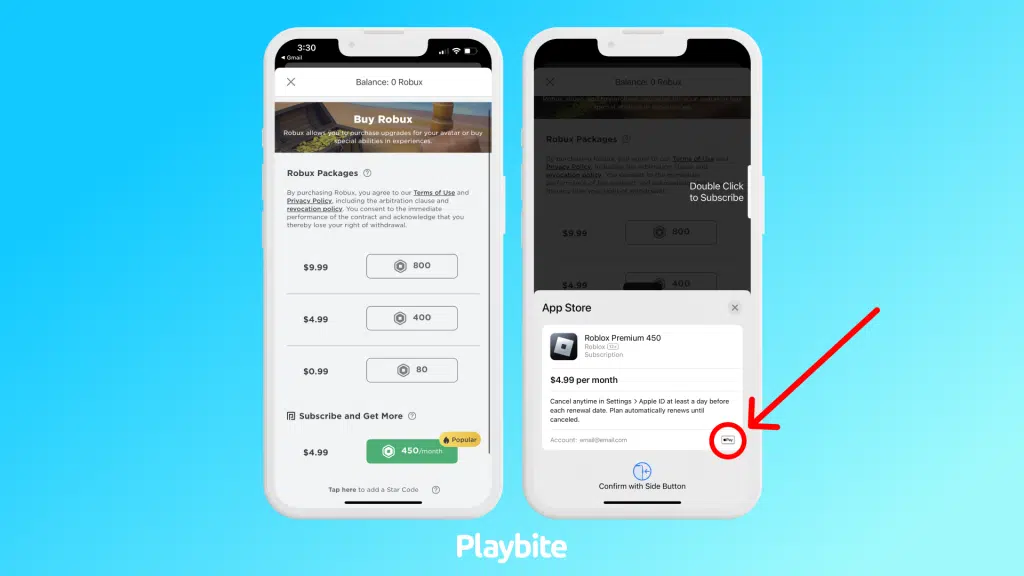
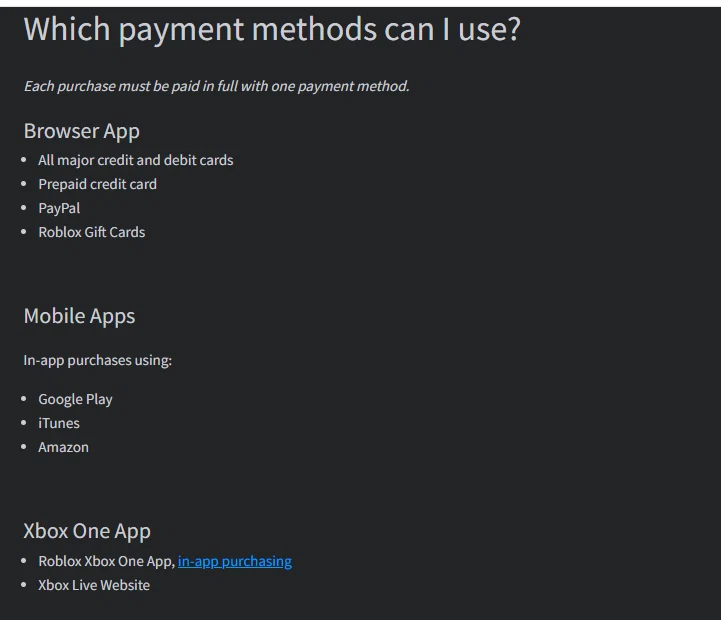
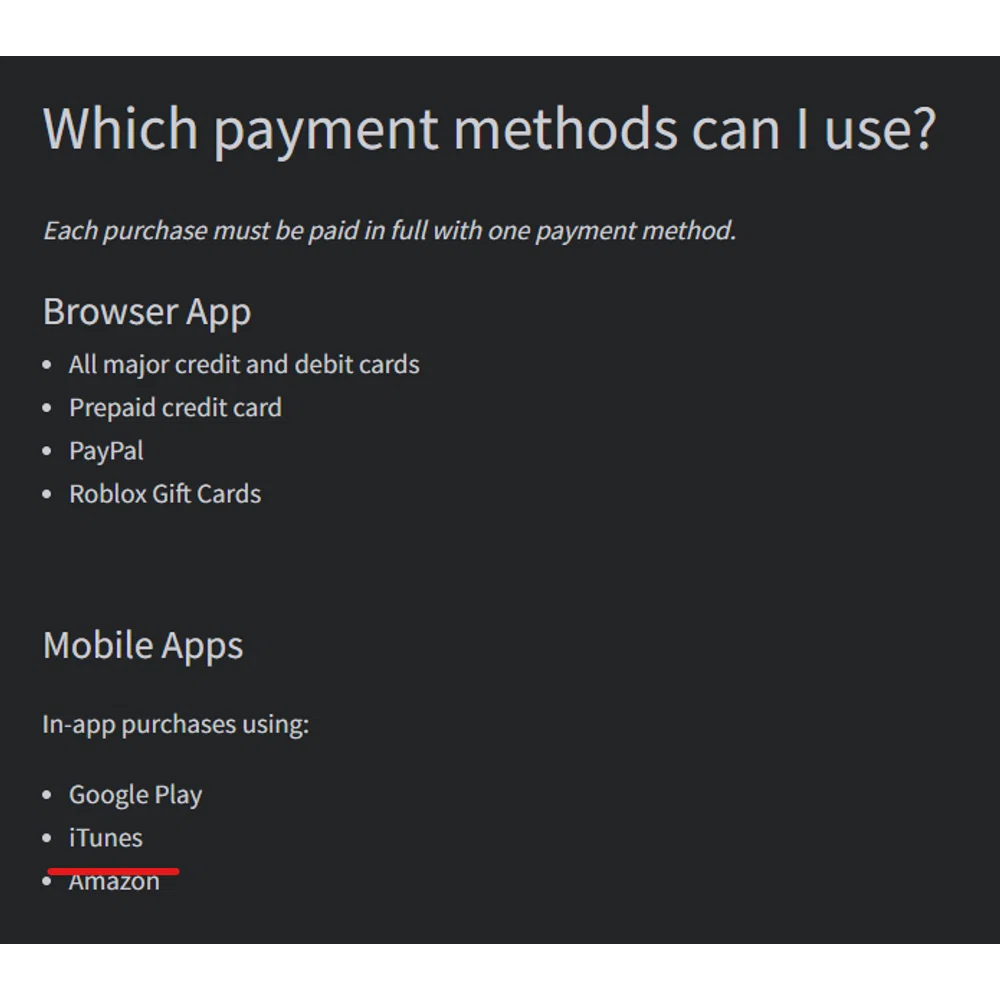

How To Buy Robux With Apple Pay Playbite How To Buy Robux With Apple Pay. Does Roblox Take Apple Pay Knoji Roblox Apple Pay . How To Buy Robux With Apple Pay Quick Guide How To Buy Robux With Apple Pay Alternative Payment. Does Roblox Accept Apple Pay Knoji Roblox Apple Pay . How To Use Apple Pay On Roblox PACE Business Roblox Homepage 1536x1152



Roblox News Looking Ahead To 2026 Figure Factories Yzf4si . Roblox News Looking Ahead To 2026 Figure Factories Yf2RAi . Top 10 Roblox Brainrot Games To Try In 2026 For More Meme Chaos. Here S How Roblox S Age Checks Work TechCrunch Roblox Header . How To Save Your Account On Roblox H Ng D N B O V T I Kho N To N Di N
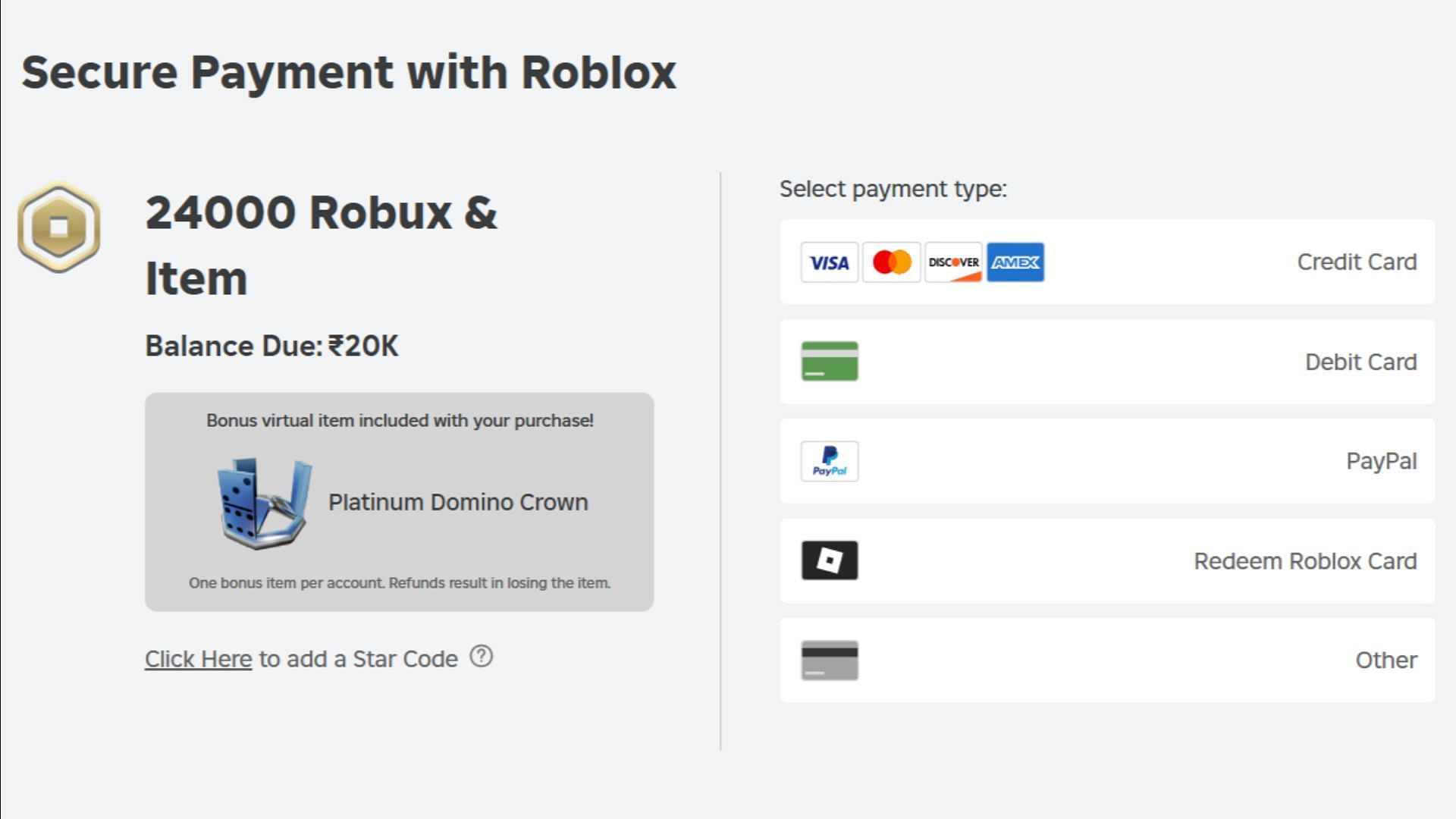


How To Get Platinum Domino Crown In Roblox 92f9d 1920 . Roblox News Looking Ahead To 2026 Figure Factories Ylgn2D . Apple Pay Likely To Debut In India In 2026 Challenging UPI Giants 1619598 Apple Pay . How To Check If A Roblox Player Has Premium In 2026 Secure Payment With ROblox . IOS 18 Makes IPhone More Personal Capable And Intelligent Than Ever Apple WWDC24 IOS 18 Apple Pay Rewards And 240610 Inline .large 2x


How To EASILY Change Payment Method On Roblox NEW 2026 GUIDE YouTube . How To Add Payment Methods To Roblox Use Different Payment Methods In . Roblox Premium What Is It Benefits Cost How To Get Beebom Premium Payment Methods . Does Arby S Accept Apple Pay In 2026 Latest Payment Scoop Does Arbys Accept Apple Pay . Does Chipotle Accept Apple Pay In 2026 What We Found Does Chipotle Accept Apple Pay





Roblox Agrees To Pay 10 Million Make Platform Changes In Nevada . Roblox On The App Store 1200x630wa . Roblox In 2026 Play On Roblox NoFilter. The Company Azza Fahmy Jewellery Apple Pay Logo 0 1 . Roblox News Looking Ahead To 2026 Figure Factories YvZu5T


Apple S 2026 Products Foldable IPhones OLED IPads More Geeky Gadgets Apple 2026 . Pay With Rewards Using Apple Pay Apple Support UK Ios 18 Iphone 15 Apple Pay Checkout Other Cards And Pay Later Options Rewards Card Use Rewards . How To Buy Robux With Apple Wallet 2025 YouTube . Apple Pay India Launch Timeline Revealed And It S Sooner Than Expected Apple Pay Stock Image Logo . How To Use Apple Pay On Roblox PACE Business Roblox Devices 2048x1365