Are you a seasoned gamer balancing work and family life, yet harbor a secret desire to create your own digital worlds? The thought of diving into game development might seem daunting, especially with limited free time. However, learning to develop Roblox games offers an incredibly accessible and rewarding pathway to creative expression and even a potential side income. In 2026, the Roblox platform continues its meteoric rise, empowering millions of users to become creators. This guide is tailored for the adult gamer, providing clear, actionable steps to navigate Roblox Studio, understand Lua scripting basics, and design engaging experiences without sacrificing your precious work-life balance. Discover how to leverage your gaming intuition to build trending experiences, connect with a vibrant community, and potentially monetize your passion, all while understanding the latest platform trends and best practices for success. This resource cuts through the hype, offering practical advice to help you transform from player to acclaimed creator.
How do busy adults start making games on Roblox without much time?
Busy adults can effectively start making Roblox games by leveraging Roblox Studio's intuitive visual tools and ready-made templates. Begin by dedicating short, consistent blocks of time, like 30-60 minutes a few evenings a week. Focus on small, achievable goals, such as customizing a template or learning one new Lua function per session, rather than attempting a large project immediately. Utilize free models from the Toolbox and prioritize iterative development over perfection to fit game creation into a demanding schedule.
What's the quickest way to learn Roblox Studio basics in 2026?
The quickest way to learn Roblox Studio basics in 2026 is by immersing yourself in the official Roblox Creator Documentation and following beginner-friendly YouTube tutorials from channels like AlvinBlox or TheDevKing. Start by downloading Roblox Studio, then actively follow along with a tutorial that guides you through creating a simple obstacle course or a basic interactive element. Hands-on experimentation with the Studio's tools (moving, scaling, scripting) is key, focusing on practical application rather than theoretical understanding.
Can I really earn Robux by creating games if I'm not a pro developer?
Yes, you absolutely can earn Robux by creating games on Roblox even if you're not a professional developer. Many successful Roblox creators started as hobbyists. Earnings primarily come from Game Passes and Developer Products, which players purchase within your game, and Premium Payouts, where Roblox pays based on time spent by Premium subscribers. Focus on creating fun, engaging experiences that encourage players to spend time and value in your game, regardless of your professional background.
What types of Roblox games are trending for creators this month?
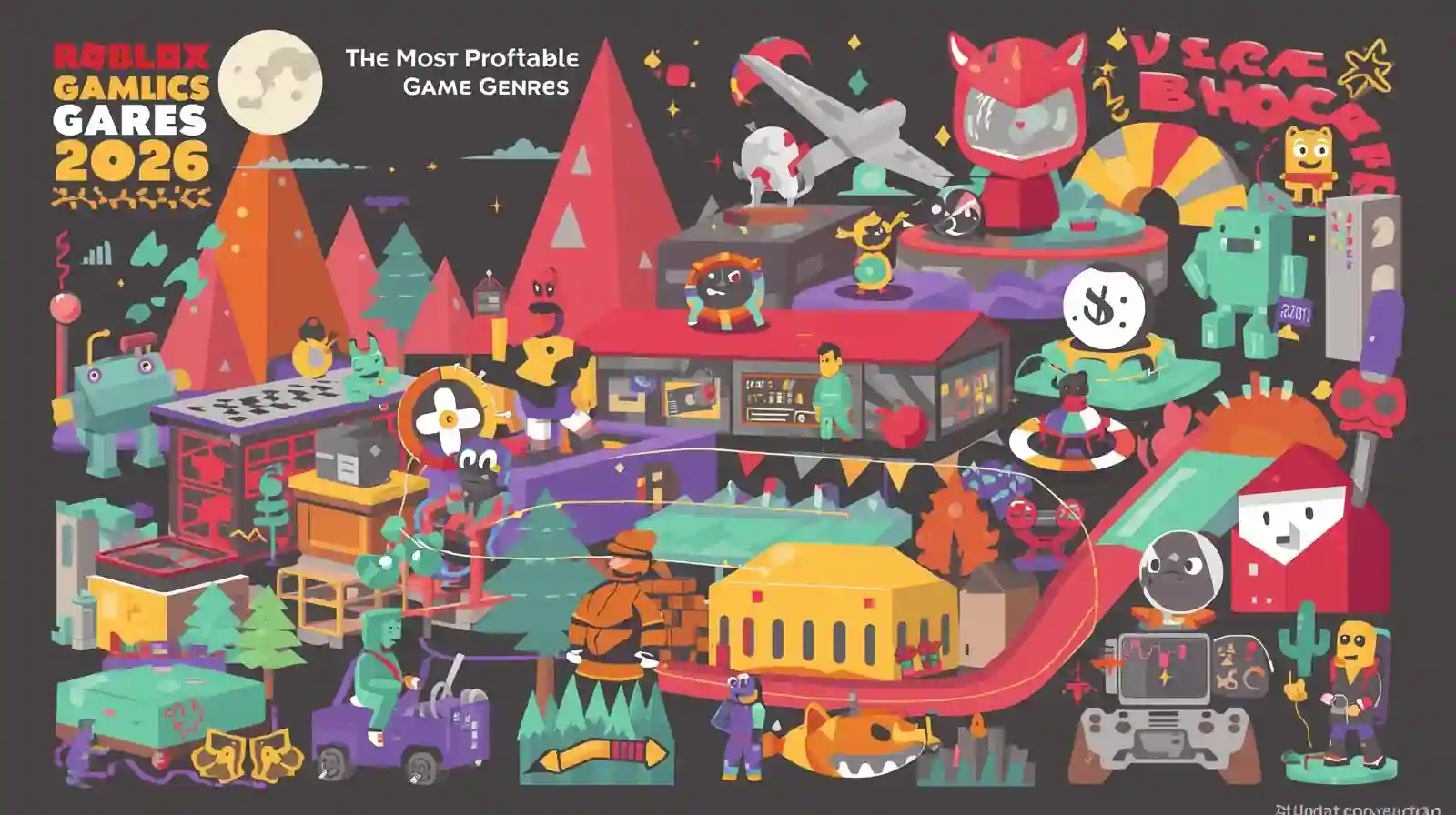
This month, trending Roblox game types for creators include immersive social role-playing experiences, 'cozy' simulation games (like farming or pet collecting), and innovative takes on classic genres such as unique obbies or survival games. Experiences that foster strong community interaction, offer frequent updates, and provide opportunities for player-generated content are consistently performing well, aligning with broader 2026 gaming trends emphasizing social engagement and persistence.
How do I fix common performance issues in my Roblox game?
To fix common performance issues in your Roblox game, start by reducing the part count and complexity of your builds, especially in high-traffic areas. Optimize scripts by ensuring they are efficient and only run when necessary, avoiding unnecessary loops or intensive calculations. Lower texture resolutions where possible and remove any unused assets. Regularly test your game on various devices, including mobile, to identify bottlenecks and ensure a smooth experience for all players, a crucial factor for retention.
Where can I find free assets and tutorials for Roblox development?
You can find abundant free assets and tutorials for Roblox development directly within Roblox Studio and online. The 'Toolbox' in Studio offers free models, scripts, and plugins contributed by the community. For tutorials, the official Roblox Creator Documentation (Developer Hub) is comprehensive. YouTube hosts countless free video guides from experienced developers, and the Roblox Developer Forum provides a platform for questions and shared resources, making learning accessible and budget-friendly.
Is it worth investing time into Roblox game development in 2026?
Yes, investing time into Roblox game development in 2026 is highly worthwhile, especially for creative individuals and gamers seeking a fulfilling hobby or potential side income. The platform continues to grow, offering unparalleled accessibility for creators of all skill levels to reach a massive global audience. It provides a unique opportunity to build valuable skills, express creativity, connect with a vibrant community, and potentially monetize your creations, aligning with current trends in the creator economy and user-generated content.
It's 2026, and you've just wrapped up a long day, perhaps juggling work, family, and the myriad responsibilities of adult life. You finally settle down, ready to unwind with your favorite game, but a familiar thought creeps in: "What if I could build something like this?" Many of us gamers, particularly those in the 30-40 age bracket who make up a significant portion of the gaming demographic, spend an average of 10+ hours a week immersed in digital worlds. We appreciate the relaxation, the skill-building, the social connections, and the sheer fun that gaming offers. But for some, the desire to move beyond consumption to creation is a powerful itch, often sidelined by the perceived complexity or time commitment of traditional game development.
Enter Roblox, a platform that has revolutionized user-generated content and continues to dominate the online social gaming space. With an astounding 87% of US gamers playing regularly, and mobile gaming leading the charge, Roblox offers a unique ecosystem where anyone can develop and publish games, reaching a massive global audience. The beauty of Roblox is its accessibility; you don't need a computer science degree or years of coding experience to start creating. This guide is for the pragmatic gamer — someone who wants to tap into their creative potential, learn a new skill, or even explore a side hustle, all while respecting the demands of a busy life. We'll demystify the process of how to develop Roblox games, focusing on practical solutions to get you building without the setup headaches or overwhelming jargon, so you can balance your passion with your everyday reality.
How Do I Start Developing Roblox Games as a Beginner?
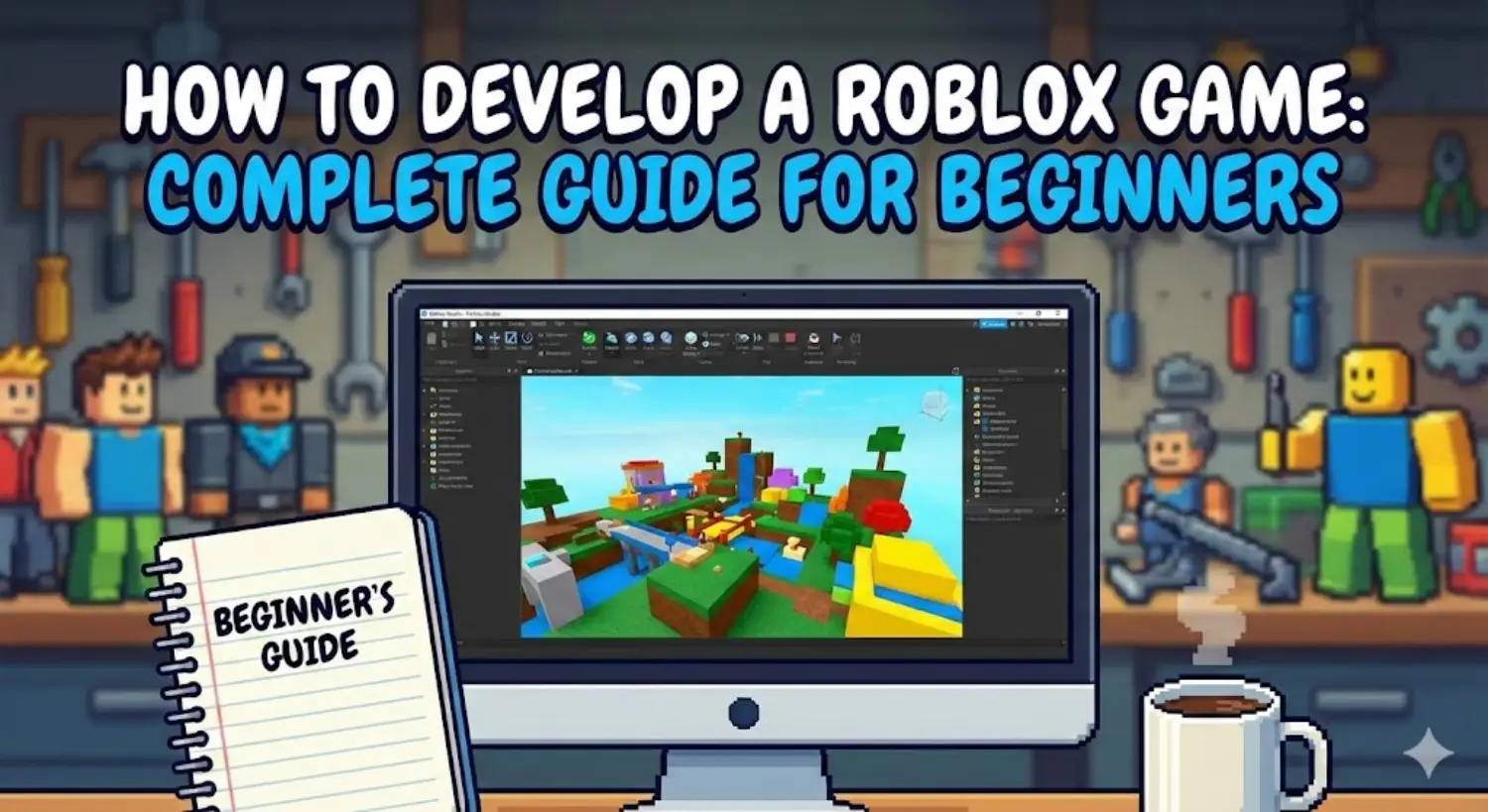
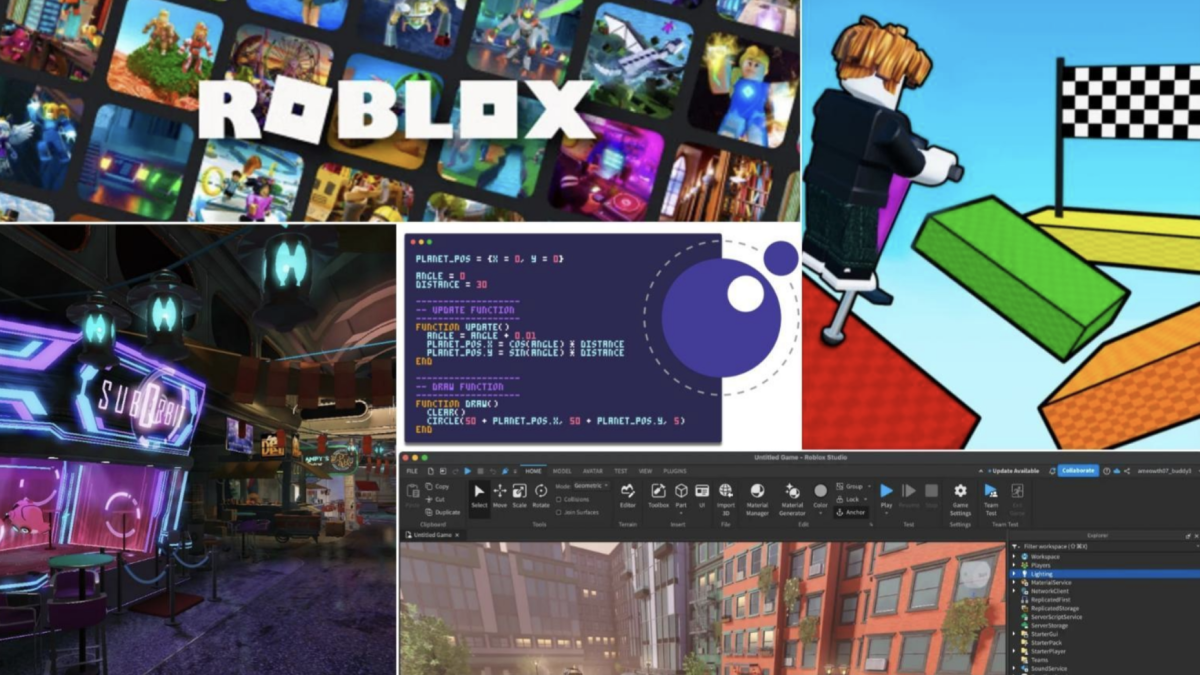
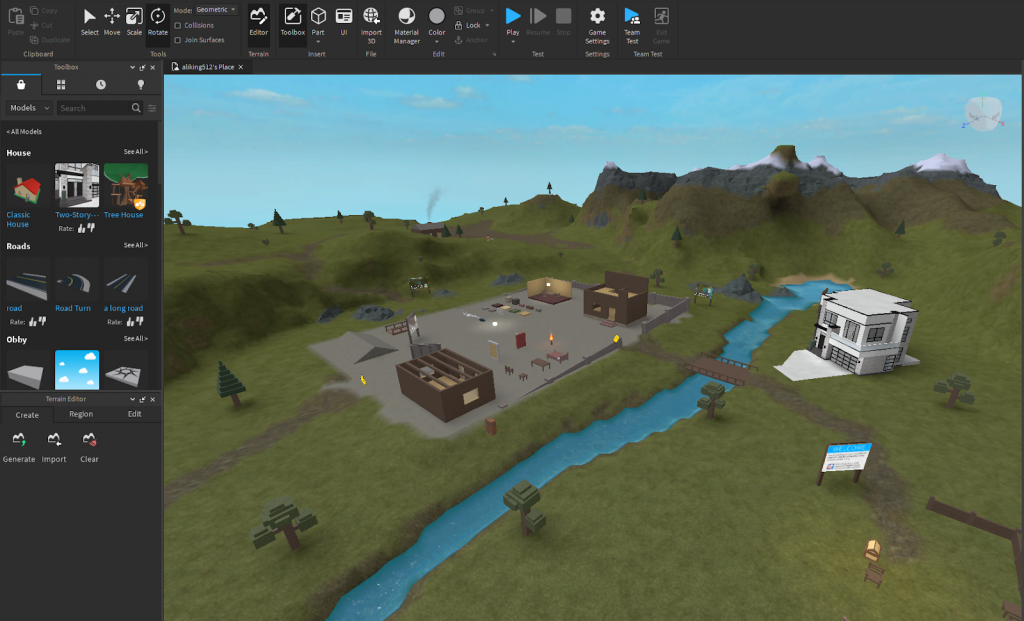
Getting started with Roblox game development is surprisingly straightforward, thanks to Roblox Studio. This free, all-in-one development environment is where all the magic happens. Your first step should be to download and install Roblox Studio on your PC or Mac. It's designed to be intuitive, even for those with no prior coding experience, providing a visual way to build and manipulate game elements.
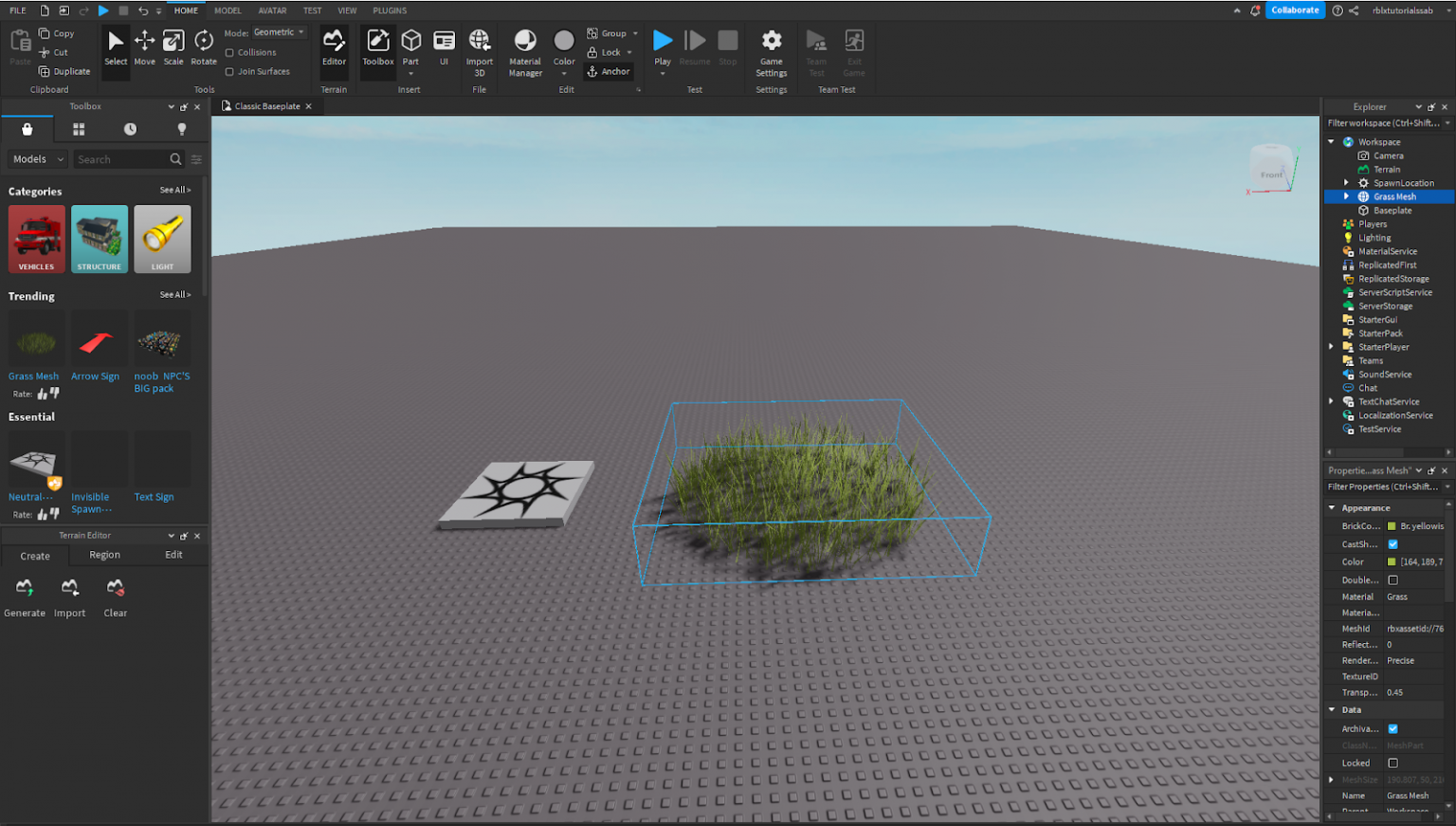
Once installed, open Roblox Studio and explore the various templates available. These templates are excellent starting points, offering pre-built environments that you can customize. Begin by experimenting with basic tools like moving, scaling, and rotating parts. Don't be afraid to break things; it's the best way to learn! Many adult gamers, accustomed to complex game mechanics, find Roblox Studio's interface refreshingly logical. Focus on understanding the Workspace, Explorer, and Properties windows, as these will be your primary interfaces for interacting with your game world.
What Software Do I Need to Develop Roblox Games?
The core software you need to develop Roblox games is Roblox Studio itself. It truly is a comprehensive suite, providing everything from 3D modeling tools to a built-in code editor for Lua scripting. This means you won't typically need expensive third-party software to create a functional and engaging game.
However, for more advanced creators, or those looking to add unique flair, supplementary software can enhance your development process. These might include:
- Image editing software (e.g., GIMP, Photoshop) for creating custom textures, UI elements, or game logos.
- 3D modeling software (e.g., Blender) for creating highly detailed custom meshes that go beyond Roblox Studio's basic parts.
- Audio editing software (e.g., Audacity) for custom sound effects and music.
For most beginners, and even many experienced developers, Roblox Studio alone is more than sufficient. Focus on mastering its capabilities before considering external tools; it's a budget-friendly approach that aligns well with the value-for-money mindset of many adult gamers.
Is Lua Scripting Hard to Learn for Roblox Game Development?
Lua, the scripting language used in Roblox, is often praised for its simplicity and ease of learning, especially compared to more complex languages like C++ or Java. It's designed to be lightweight and efficient, making it an excellent choice for beginner programmers.
For adult gamers who enjoy problem-solving and understanding game logic, Lua can be quite satisfying to pick up. You don't need to be a coding wizard to create interactive elements. Start with basic concepts:
- Variables: Storing information like a player's score or a part's color.
- Conditionals (if/then statements): Making decisions, like if a player touches a part, then something happens.
- Loops: Repeating actions, such as updating a timer.
- Functions: Grouping actions together to be reused.
There are countless free tutorials, documentation, and community forums dedicated to Lua scripting for Roblox. Many find that applying coding concepts directly to a visible game environment helps solidify understanding quickly. It's a skill-building journey that can be incredibly rewarding, fitting perfectly into those moments when you want to engage your brain beyond just playing.
How Can I Make Money by Developing Roblox Games?
One of the most appealing aspects of developing Roblox games is the potential for monetization. Creators on Roblox can earn Robux, the platform's virtual currency, which can then be converted into real-world money. This is a significant draw for many, offering a way to fund their gaming hobby or even build a substantial income stream. In 2026, the creator economy on platforms like Roblox continues to thrive, with top developers earning millions.
The primary ways to monetize your Roblox game include:
- Game Passes: One-time purchases that grant players special abilities, items, or access within your game.
- Developer Products: Consumable in-game purchases like extra currency, power-ups, or cosmetic items that can be bought multiple times.
- Premium Payouts: Roblox automatically pays developers based on how much time Premium subscribers spend in their games. This is a passive income stream tied directly to player engagement.
- Commissions on Items: Selling custom clothing or items in the Roblox catalog can also generate Robux, especially if they become popular.
Success often comes from creating engaging experiences that encourage players to spend time and Robux. It's about offering value and fun, which resonates with the community.
What Are the Best Practices for Designing an Engaging Roblox Game?
Creating an engaging Roblox game isn't just about technical skill; it's about understanding player psychology and designing experiences that resonate. With social gaming trends dominating in 2026, focus on creating spaces where players can interact, collaborate, or compete.
- Clear Core Loop: What is the main activity players will do repeatedly? Make it fun, rewarding, and easy to understand.
- Social Elements: Include features that encourage interaction, like leaderboards, trading systems, group activities, or simple chat functionalities.
- Progression Systems: Give players a sense of accomplishment. This could be leveling up, unlocking new areas, earning currency, or collecting rare items.
- Regular Updates: Keep your game fresh with new content, events, or features. Players appreciate developers who actively maintain and improve their creations.
- User Interface (UI) Design: A clean, intuitive UI is crucial. Players should easily understand how to navigate your game, access features, and make purchases.
- Performance Optimization: This is critical for busy gamers. Ensure your game runs smoothly on various devices (PC, mobile) to avoid frustration. Optimize part count, script efficiency, and texture sizes.
Think about what makes your favorite games enjoyable and try to adapt those principles within the Roblox framework. Often, simple, well-executed ideas outperform complex, half-finished ones.
How Do I Balance Roblox Game Development with My Job and Family?
This is arguably the biggest challenge for adult gamers looking to develop Roblox games. Balancing passion projects with work, family, and other life commitments requires smart planning and realistic expectations. The average age of gamers is around 36, and many juggle these very demands.
Here are some strategies for maintaining balance:
- Set Realistic Goals: Don't aim to build the next Adopt Me! in a month. Start with small, achievable projects. Focus on learning a new Lua concept or perfecting a single game mechanic each week.
- Time Blocking: Dedicate specific, short blocks of time (e.g., 30-60 minutes) a few times a week. This could be after the kids are asleep or during your lunch break. Consistency beats intensity.
- Leverage Templates & Free Assets: Don't reinvent the wheel. Utilize Roblox Studio's templates, free models from the Toolbox, and open-source scripts to accelerate development.
- Communicate with Family: Let your family know about your hobby. They might even get interested and want to contribute ideas or test your creations, turning it into a shared activity.
- Focus on Iteration, Not Perfection: Get a basic version of your game working and playable, then iterate. You don't need to launch a perfect game; regular updates with new features are often better for player retention.
- Batch Tasks: Dedicate one session to just building, another to just scripting, and another to testing. This helps maintain focus.
Remember, this should be a source of relaxation and fun, not another source of stress. Enjoy the process of creation!
What Are Some Common Pitfalls to Avoid When Developing Roblox Games?
Navigating the world of Roblox game development can have its share of traps. Avoiding these common pitfalls can save you time, frustration, and keep your motivation high, especially when balancing development with other life priorities.
- Over-scoping: Trying to build an overly ambitious game as your first project. Start small, simple, and polished.
- Ignoring Player Feedback: Your community is your greatest asset. Pay attention to comments, bug reports, and suggestions, especially if you want your game to stay current and relevant.
- Poor Performance: A laggy game drives players away. Regularly optimize your game by reducing unnecessary parts, complex scripts, and high-resolution textures. Test on various devices.
- Neglecting Security: Be wary of free models from the Toolbox that contain malicious scripts. Always inspect scripts before incorporating them into your game.
- Inconsistent UI/UX: A confusing user interface or poor user experience can frustrate players. Keep your UI clean, intuitive, and consistent with Roblox standards.
- Burnout: Pushing too hard too fast can lead to exhaustion. Remember to take breaks, celebrate small victories, and step away when needed.
By being mindful of these issues, you can create a smoother development journey and a more enjoyable experience for your players.
How Can I Get My Roblox Game Discovered by Players?
Having a great game is only half the battle; getting players to find it is the other. In the competitive Roblox ecosystem, discoverability is key. For those who prioritize value for money and effective strategies, smart promotion is essential.
- Engage with the Community: Share your progress on Roblox forums, Discord servers, and social media platforms. Get feedback early and often.
- Optimize Your Game Title & Description: Use clear, descriptive, and keyword-rich titles and descriptions that accurately reflect your game.
- High-Quality Thumbnails & Icons: These are your game's first impression. Invest time in creating eye-catching, professional-looking visuals.
- Run Roblox Ads: Consider spending a small amount of Robux on advertising campaigns to boost initial visibility. Target the right age groups and interests.
- Leverage Influencers: If your budget allows, collaborate with small Roblox YouTubers or TikTok creators. This can generate significant organic reach.
- Regular Updates & Events: Games that are regularly updated and host special events tend to climb the Roblox discovery charts. This signals to players (and Roblox's algorithm) that your game is active.
Think of it like getting your favorite local restaurant discovered – quality and word-of-mouth (or in this case, community buzz) are paramount.
Are There Free Resources to Help Me Learn Roblox Game Development?
Absolutely! The beauty of the Roblox development community is the abundance of free, high-quality resources available. This aligns perfectly with the budget-conscious gamer who wants to build skills without breaking the bank.
- Roblox Creator Documentation: The official Roblox Developer Hub is an invaluable resource, offering comprehensive guides, tutorials, and API references. It's constantly updated and a must-bookmark site.
- YouTube Tutorials: Channels like AlvinBlox, TheDevKing, and many others offer step-by-step video tutorials covering everything from beginner Lua scripting to advanced game mechanics.
- Roblox Developer Forum: An official forum where you can ask questions, get help from experienced developers, and stay updated on platform changes.
- The Toolbox: Within Roblox Studio, the Toolbox offers a vast library of free models, scripts, and plugins contributed by other developers. While useful, always exercise caution and inspect scripts for malicious code.
- Discord Servers: Many Roblox development communities on Discord offer real-time support, collaboration opportunities, and a place to share your progress.
With these resources, learning to develop Roblox games is more accessible and affordable than ever before.
What Are the Latest Trends in Roblox Game Development for 2026?
Staying current with trends is crucial for discoverability and player engagement. For 2026, several key trends are shaping the Roblox landscape, reflecting broader gaming industry shifts:
- Metaverse Experiences: Games that offer persistent worlds, deep social interactions, and opportunities for player agency are highly popular. Think beyond a single objective and create a living, breathing space.
- Cross-Platform Optimization: With mobile gaming's dominance, ensuring your game plays flawlessly and looks great on both mobile devices and PCs/consoles is non-negotiable.
- Cozy & Social Games: Following the 'cozy game' trend seen across the industry, experiences focused on relaxation, building, farming, or casual social interaction are thriving. These are perfect for busy adults seeking a low-stress escape.
- UGC (User-Generated Content) within UGC: Games that allow players to create their own items, spaces, or experiences within your game foster incredible engagement and community loyalty.
- AI Integration: Expect to see more sophisticated AI NPCs, dynamic environment generation, and even AI-assisted development tools becoming mainstream.
- Robust Economy Systems: Players appreciate games with well-designed in-game economies, trading systems, and clear paths to earning rewards.
By keeping these trends in mind, you can develop Roblox games that resonate with today's players and stand out in a crowded market.
Developing Roblox games as an adult gamer is not just a pipe dream; it's an accessible reality offering creative fulfillment and even potential income. We've explored everything from getting started with Roblox Studio and learning Lua to monetizing your creations and balancing development with your busy life. The key takeaway is that consistency, realistic goals, and leveraging the wealth of free resources are your best allies. You don't need to be a full-time developer to make a mark; you just need to start building.
What's your biggest challenge or burning question about developing Roblox games? Comment below and let's connect!
FAQ Section
Is Roblox Studio free to use?
Yes, Roblox Studio is completely free to download and use. This makes it an incredibly accessible platform for anyone interested in game development, removing a significant financial barrier for beginners and hobbyists.
Can I develop Roblox games on a Mac?
Absolutely! Roblox Studio is available for both Windows and macOS, allowing Mac users to fully participate in game development on the platform without any compatibility issues.
How long does it take to learn Roblox game development?
The time it takes varies, but you can learn the basics of Roblox Studio and simple Lua scripting in just a few weeks with consistent effort. Mastering it to create complex games can take months or even years, much like any skill.
What are the most popular genres on Roblox right now?
In 2026, popular genres include social hangouts, simulation games (e.g., tycoon, role-playing), obstacle courses (obby), adventure games, and experiences focused on user-generated content, reflecting a broad appeal for interactive and social play.
Do I need to be a coding expert to make Roblox games?
No, you do not need to be a coding expert. Roblox Studio offers visual tools for building, and Lua is a beginner-friendly scripting language. You can start with drag-and-drop building and learn Lua gradually as your projects become more ambitious.
How do I test my Roblox game before publishing?
Roblox Studio has built-in testing tools that allow you to play your game directly within the environment, simulating different player counts and device types. You can also invite friends to test private versions of your game before making it public.
Easy entry into game development with Roblox Studio; Learn Lua scripting for game logic; Explore monetization strategies for creations; Utilize community resources and collaboration; Balance creative pursuits with daily responsibilities; Understand Roblox platform trends and player engagement.
34



What Is RDC In Roblox Roblox Developer Conference 2026 Release Date Roblox At GDC .webp. 15 Game Roblox Horror Terbaik 2026 15 Game Roblox Horror Terbaik 2026 Paling Seram And Bikin Deg Degan 7f944699ce . How To Publish A Game On Roblox In 2026 Roblox YouTube . How To Develop A Roblox Game Complete Guide For Beginners NipsApp Unnamed 80.webp. How To Develop A Game In Roblox In 2026 Common Challenges Of Roblox Game


Top Roblox Games 2026 Most Popular Best Games To Play Right Now Looking For A Roblox Game Development Company For Your Upcoming Game Idea.webp. How To Make A Roblox Game With AI Complete 2026 Guide Image. Best Roblox Games To Play In 2026 Digidang Com Best Roblox Games 2026.webp. Top 10 Most Profitable Roblox Games Ideas For 2026 Most Profitable Roblox Game Genres 2026.webp. How To Message On Roblox 2026 A Quick Guide SL1500



8 Must Have Roblox Game Development Skills For Beginners The Rocky Screen Shot 2025 10 27 At 12.26.53 PM 1200x675 . Get Started With Roblox Game Development Easy Steps To Follow Codingal Image 9 6 1024x621 . Exploring Roblox Games For 2026 What Makes Them Popular Best Roblox Games Natural Distaster Survival . 21 Super Fun Roblox Games You Need To Play In 2026 Roblox Desk 21 Super Fun Roblox Games You Need To Play In 2026.webp. How To Develop A Game In Roblox In 2026 Features Roblox Game



Roblox 2026 Logo REVEALED New Color New Look YouTube Maxres2 . ROBLOX IN 2026 YouTube Hqdefault . How To Develop A Game In Roblox In 2026 Roblox Blog Cta.webp. Roblox At GDC 2026 Where To Find Us All Week Roblox. Top Visited Roblox Games 2021 2026 Alternative YouTube



Roblox 2026 Insider Reveals Platform Evolution Safety 4000x4000bb . Game Development Stages Explained Complete Step By Step Guide Feature Image 2 . 2026 Parental Guide For Roblox Usage UnicMinds 2026 Parental Guide For Roblox Usage UnicMinds 1020x1024 . Who Are The Famous Roblox Developers And Their Impact Roblox Sft Cover . How To Become A Roblox Developer 2026 Top 10 Roblox Games 1





Exploring Roblox Games For 2026 What Makes Them Popular Best Roblox Games 2023 Feature Image . Roblox Cloning What Developers Should Know In 2026 1200x1769 . How To Develop A Game In Roblox In 2026 Robolx Game Development. Can You Develop Roblox Games On Your Phone In 2026 Roblox Studio Scaled . Roblox 2026 New Logo REVEAL First Look At The Future Shorts YouTube Hq2


Get Started With Roblox Game Development Easy Steps To Follow Codingal Image 9 4 1536x871 . Becoming A Roblox Developer What Does It Really Take Roblox Mania 1024x1024 . Game Roblox Terbaik Untuk Mabar Rekomendasi Seru 2026 SuperNews Game Roblox Terbaik Untuk Mabar Rekomendasi Seru 2026 . Develop Games With Roblox School Holiday Programmes On 7 Develop Games With Roblox.webp