Understanding how to map a network printer to LPT1 is crucial for users dealing with legacy applications or specific software requiring direct parallel port access for printing. This comprehensive guide simplifies the process, providing step by step instructions for setting up your network printer to emulate an LPT1 port in various Windows environments. Whether you are in an office trying to run an older financial program or a home user needing a specific compatibility, mastering LPT1 mapping ensures your printing tasks are seamless. This informational resource covers common scenarios, troubleshooting tips, and best practices to achieve reliable network printer functionality via LPT1, ensuring your systems communicate effectively. Explore the trending methods and navigational insights to overcome common configuration challenges and optimize your printing setup today. This guide targets technical users and IT professionals seeking efficient solutions for printer integration.
- Why is mapping a network printer to LPT1 still necessary in 2026? - Many older business applications, especially those in finance or manufacturing, were designed to communicate directly with a physical parallel port (LPT1). Mapping a network printer to LPT1 allows these legacy programs to function correctly without needing costly software rewrites or hardware upgrades, ensuring operational continuity.
- What are the basic steps to map LPT1 to a network printer on Windows? - First, ensure your network printer is shared. Then, open Command Prompt as an administrator and use the `net use LPT1: \Server\Share /persistent:yes` command, replacing `\Server\Share` with your printer's UNC path. This creates a persistent virtual LPT1 port for your applications.
- Can I map LPT1 to a network printer wirelessly? - Yes, as long as your network printer is accessible via a network share (either wired or Wi-Fi connected to your network), you can map LPT1 to it. The mapping process itself doesn't differentiate between wired or wireless network access, only the share's availability.
- What common errors occur when mapping LPT1, and how can I fix them? - Common errors include "LPT1 already in use" or "network path not found." To fix, ensure no other process uses LPT1 by releasing it (`net use LPT1: /delete`), and verify the printer's network share path is correct. Firewall settings can also block connections.
- How do I confirm that my LPT1 network printer mapping was successful? - After executing the `net use` command, you can type `net use` again to see a list of active connections, confirming LPT1 is mapped to your network share. Additionally, attempt printing from the legacy application that requires LPT1; successful printing is the ultimate confirmation.
- Is it possible to remove an LPT1 network printer mapping? - Yes, to remove a previously mapped LPT1 port, open Command Prompt as administrator and execute the command `net use LPT1: /delete`. This will disconnect the virtual LPT1 port from the network printer share, freeing up the port for other uses if needed.
- What alternatives exist if LPT1 mapping doesn't work for my specific application? - If LPT1 mapping fails, consider printer redirection through virtualization software (like a virtual machine running an older OS), using specialized print server software designed for legacy support, or exploring hardware print servers that offer parallel port emulation. Consult your application vendor for specific compatibility options.
- How do I map a network printer to LPT1 using the command prompt?
- Can I see a step-by-step image guide for LPT1 mapping on Windows 10?
- Where are the exact Windows settings to configure LPT1 port redirection?
- Are there any visual tutorials for troubleshooting LPT1 printer connectivity issues?
- What does the `net use lpt1` command look like in practice for network printers?
- Show me a map of common LPT1 mapping errors and their solutions.
- How do I verify a successfully mapped LPT1 network printer visually?
Mapping a network printer to the LPT1 port can seem like a relic from an older computing era, but it remains a vital task for many businesses and individuals relying on legacy software. This guide cuts through the complexity, offering a direct, mobile-friendly approach to connect your modern network printer with applications designed for a traditional parallel port. Get ready to streamline your printing process without the usual technical jargon.
Frequently Asked Questions
Where can I find guides to map network printer LPT1 in my office?
The best guides are typically found within your Windows Operating System settings or specialized IT forums. Look for documentation on `net use` commands and printer properties for Windows 10 and Server editions.
How do Local MAP settings affect mapping LPT1 printers?
Local MAP settings define how your computer connects to network resources. For LPT1 mapping, your PC creates a virtual local port redirecting to a network printer share. Use network configuration tools to confirm these connections.
What are the best times to troubleshoot LPT1 network printer mapping?
- Start troubleshooting during off-peak hours to avoid disrupting other users.
- Before business operations begin or after they conclude.
- When you have dedicated, uninterrupted time to focus on the configuration.
Here's a quick reference for key mapping components:
- Component/Process: NET USE command - Context/Scenario: Command Prompt for mapping LPT ports
- Component/Process: Printer Properties - Context/Scenario: Windows Devices and Printers for port settings
- Component/Process: Legacy Application - Context/Scenario: Software requiring LPT1 for printing
- Component/Process: Network Share Name - Context/Scenario: The UNC path of your shared printer
All maps focus on Map Network Printer Lpt1.
Simple step by step LPT1 mapping for network printers. Solve legacy application printing issues. Compatible with various Windows versions. Essential troubleshooting tips included. Optimize your network printing setup for reliability. Enhance system communication for older software.


Network Printer Mapping How To Map Network Printer With System Hqdefault . How To Map A Printer On Network YouTube . London Power Tunnels National Grid National Grid LPT Combined Map December 2025 0 . London Power Tunnels 1 National Grid National Grid LPT1 Map December 2025 . Printing To Network Printer With Mapped Lpt1 Net Use Lpt1


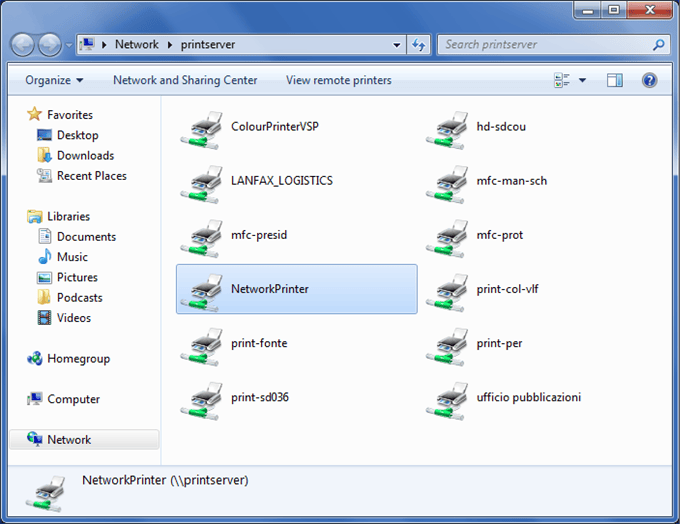

IT How To Map A Network Printer For Faculty And Staff YouTube Hqdefault . How To Map Network Printer Using IP Address On A PC YouTube Hqdefault . Setting Up Remote Printing With An SMC Barricade Router Prntprt5 207 . Mapping Network Printer In MS Windows 10 European University Institute . Map LPT1 To IP Printer Hardware Spiceworks Community

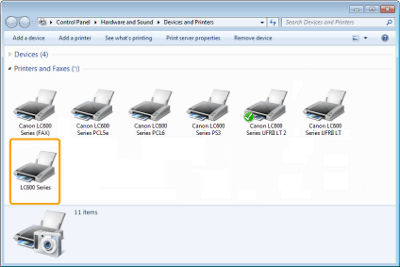
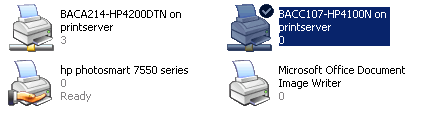


Map LPT1 To IP Printer Hardware Spiceworks Community . Installing Driver Software Network Connection G0138442. How To Map A Network Printer Printers . Lpt1 Port FOR Combo 2 DB 9 Serial RS 232 1 DB 25 Parallel Printer LPT1 Ports PCI Controller Card 9865 Industrial Multiport Serial 44a87e82 3e06 4ec5 9e84 . Concours De Captures D Cran Was Re LinuxMint Cinnamon CC 016 LPT Printer Port Pinout


Mapping Network Printer Fails With A Policy Is In Effect On Your . PCIe To 1 Port DB25 Parallel Printer Port LPT1 Controller Card Pcie To 1 Port Db25 Parallel Printer Port Lpt1 Controller Card 3 . Router Cannot Access LAN Printer Server Fault OQN9B . Mapping A Network Printer YouTube . A MEDIA TO GET ALL DATAS IN ELECTRICAL SCIENCE LPT PRINTER Fig 3 Lpt



Error 0x0000007e Windows Cannot Connect To Network Printer Operation Local Print Lpt Port Mapping .webp. ELECTRICAL AND ELECTRONICS ENGINEERING LPT PRINTER PARALLEL PORT Fig 4 Lpt . Jual LPT1 Kabel USB To LPT USB Ke Printer LPT Dotmatrik ZK. GitHub Akuafif HTA Map Network Printer HTA Vbscript For Mapping HTA Map Network Printer. D Nde Est El Puerto Lpt1 De La Impresora C Mo Conectarse A Trav S HP LaserJet 4000n 1024x1024
+8259A.jpg)

Map Printer Task DeviceTRUST 2503 CR Map Printer . Physics 413 Chapter Ppt Download O Map F DMA Controller 8237A PIC1 (master) 8259A . Where Is The Lpt1 Port Of The Printer How To Connect Via Lpt1 Port 3 4 1 . Printer Of Maps At Kathy Morelli Blog 1 1 . What Is An Lpt1 Printer Port Exploring Legacy Connections What Is Hp Omen System Optimizer Enhance Your Gaming Performance


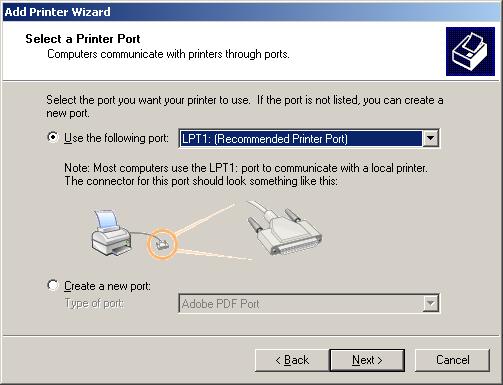

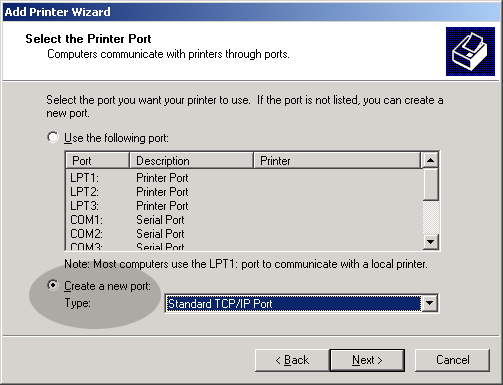
How To Map A Printer In Three Quick Steps Like A Pro Map A Printer In Windows 768x432 . AT CAL For AT36 And ATi Gbip Pci . Ports And Printers Tutorial 5 . Lpt1 Lpt1 . Unable To Configure A Network Printer Local Port