Navigating the complex world of gaming processors can feel like a boss battle itself, especially for busy US gamers balancing careers, family, and precious downtime. This guide cuts through the hype to help you decide which processor is better for gaming in 2026. We'll demystify specs, compare Intel and AMD's latest offerings, and show you how to find the perfect CPU that delivers smooth performance, incredible value, and enhances your relaxation and social gaming experiences without breaking the bank or requiring endless setup tweaks. Discover how to optimize your rig for popular titles, future-proof your investment, and ensure your limited gaming hours are spent enjoying the action, not battling hardware issues. Whether you are looking to upgrade on a budget or build a new powerhouse, understanding your CPU choices is key to an optimized, stress-free gaming life. This informational resource is tailored for the average gamer seeking practical solutions.
Related games- GTA 6 Console Exclusive? Your Ultimate Platform Guide!
- Guide How to Find Nyan Cat Roblox ID Codes for Themes
- Guide to GTA Cheats on Xbox One Unlock Fun Now
- Guide to Imagination Roblox ID Unlock Creativity
- How to Type in Roblox Your Ultimate Chat Guide
How do CPU cores affect my gaming experience?
CPU cores are like individual workers within your processor. The more cores you have, the more tasks your CPU can handle simultaneously. For gaming, this means better performance in modern titles that utilize multiple cores for game logic, AI, and physics. While some older games primarily relied on single-core speed, newer games benefit from 6-8 cores, allowing for smoother gameplay and improved multitasking like running Discord or streaming alongside your game. It ensures a stable, consistent frame rate even in demanding scenarios.
Is a higher clock speed always better for gaming CPUs?
While a higher clock speed (measured in GHz) generally translates to better performance, especially in games that favor single-core speed, it's not the only factor. IPC (Instructions Per Cycle) and architectural efficiency are equally crucial. A newer CPU with a slightly lower clock speed but higher IPC can often outperform an older CPU with a higher clock speed. Always consider the CPU's generation and overall architecture alongside its clock speed for a comprehensive understanding of its gaming prowess.
What's the best CPU for competitive esports titles?
For competitive esports titles like Valorant, CS2, or Overwatch 2, which prioritize high frame rates and low latency, a CPU with exceptional single-core performance and high clock speeds is paramount. Both Intel's Core i7/i9 and AMD's Ryzen 7 X3D series are excellent choices. The Ryzen X3D chips, with their large L3 cache, often show significant boosts in these types of games. It’s about ensuring every input is registered instantly and your frames are consistently high to give you a competitive edge.
Should I consider Intel's integrated graphics for light gaming?
Absolutely, for light gaming, Intel's integrated Xe Graphics found in their latest Core i5 and i7 processors are surprisingly capable. They can handle many popular esports titles, indie games, and even some older AAA games at 1080p with reduced settings. If you're on a tight budget, don't plan on playing graphically demanding titles, or need a functional PC while saving for a dedicated GPU, Intel's iGPUs offer a solid, cost-effective solution for casual play and productivity. They're perfect for unwinding without a huge investment.
Does CPU caching significantly impact game performance?
Yes, CPU caching, particularly the L3 cache, can significantly impact game performance. The cache acts as a very fast, small memory buffer that stores frequently accessed data for the CPU. A larger and faster cache reduces the time the CPU spends waiting for data from slower RAM, leading to improved frame rates and smoother gameplay, especially in games with complex scenes or many assets. AMD's Ryzen X3D processors are a prime example of how a massive L3 cache can dramatically boost gaming performance.
How important is a CPU cooler when choosing a gaming processor?
A CPU cooler is incredibly important when choosing a gaming processor, especially for mid-to-high-end chips. Gaming generates heat, and an effective cooler prevents your CPU from thermal throttling, where it slows down to prevent overheating. While some CPUs come with basic coolers, investing in a good aftermarket air cooler or an All-in-One (AIO) liquid cooler ensures your CPU runs at optimal temperatures, maintaining peak performance and stability during long gaming sessions. It's an essential component for system longevity and consistent frame rates.
Can a new gaming CPU improve my older games?
A new gaming CPU can definitely improve older games, though the extent of the improvement varies. Many older titles were designed to utilize fewer cores, so a CPU with strong single-core performance will see the most significant gains. You'll likely experience more stable frame rates, fewer stutters, and quicker loading times. However, if an older game is primarily GPU-bound, the improvements from a new CPU might be less dramatic. For a better overall experience across your entire game library, a modern, balanced CPU is a smart upgrade.
Hey fellow gamers! If you're anything like me, your gaming time is precious. Between work, family, and daily life, those moments spent diving into a new world, strategizing with friends, or simply unwinding with a favorite title are golden. But nothing kills the vibe faster than stuttering frames, slow loading screens, or your PC struggling to keep up. That's why the question of which processor is better for gaming is always on our minds. It's not just about raw power; it's about smart power that fits your life, your budget, and delivers consistent, enjoyable performance.
Did you know that 87% of US gamers play regularly, with many dedicating 10+ hours a week to their passion? With mobile gaming dominating and cross-play becoming standard, the demand for reliable, high-performance hardware that also manages background apps like Discord or streaming has never been higher. This guide is built to cut through the tech jargon and give you the real answers you need to optimize your gaming setup without the headache. Let's find the CPU that makes every gaming session seamless and fun, maximizing your relaxation and social play.
Why is your processor so vital for smooth gaming?
Your processor, or CPU, is essentially the brain of your gaming rig. While your graphics card (GPU) renders all the beautiful visuals, the CPU handles everything else: game logic, artificial intelligence, physics calculations, network code, and even processing your inputs. If your CPU isn't up to par, your GPU can't work at its full potential, leading to lower frame rates, stutters, and overall sluggish performance, regardless of how powerful your graphics card is. It dictates how well your system can manage complex game worlds and multiple tasks.
For gamers balancing busy lives, this means a reliable CPU ensures your limited time is spent playing, not waiting or troubleshooting. It impacts everything from loading times in massive open-world titles to the responsiveness in fast-paced esports games like Valorant or Apex Legends. A strong CPU also supports background applications smoothly, so you can chat on Discord, stream to friends, or even have a browser open without a performance hit. It's the foundation for a truly optimized and enjoyable gaming experience.
Intel or AMD: Which processor is better for gaming in 2026?
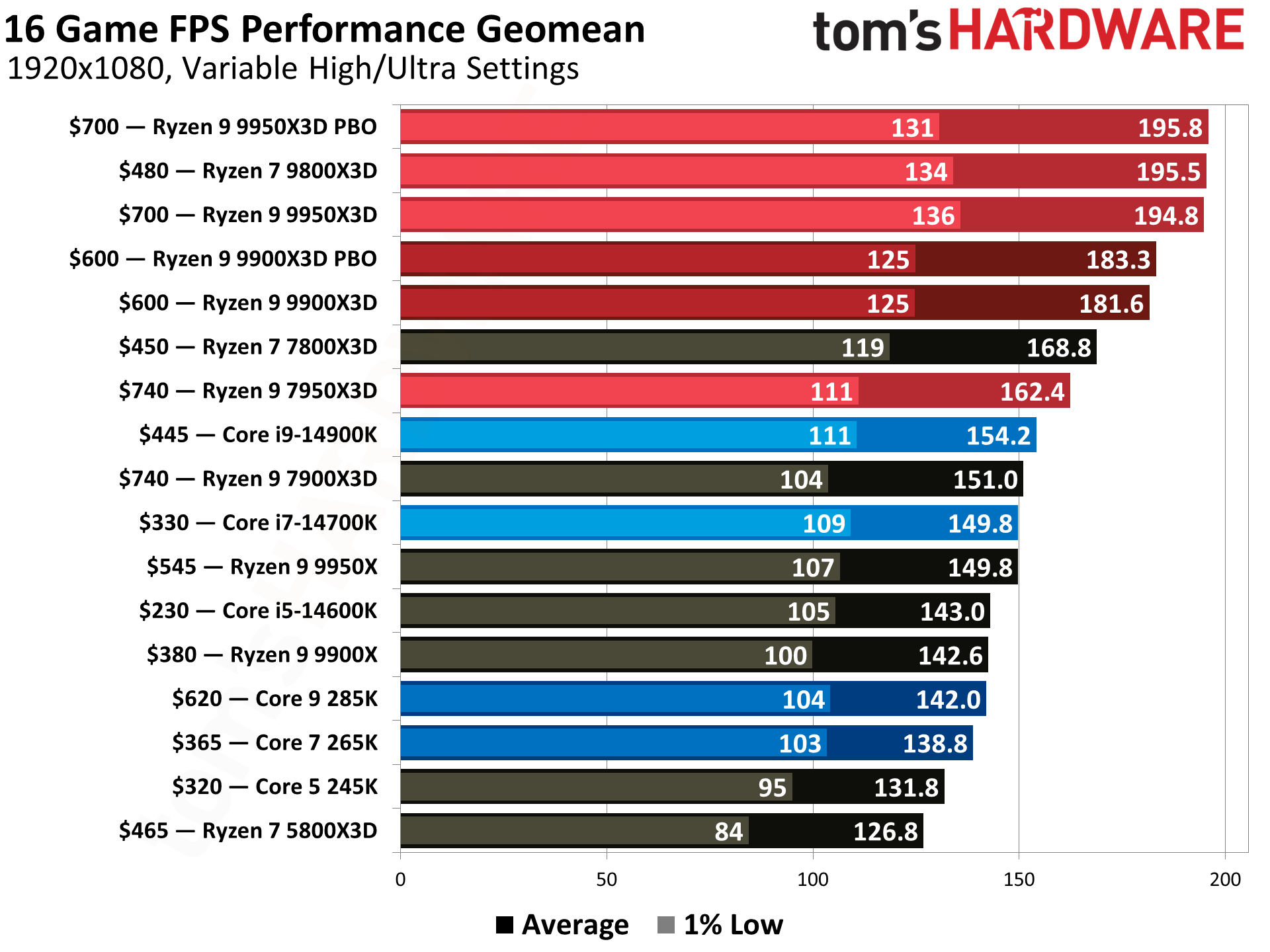
In 2026, the battle between Intel and AMD remains incredibly competitive, offering fantastic options for gamers. Both companies have pushed innovation, providing CPUs with high core counts, excellent single-core performance, and advanced architectures. For pure gaming frame rates, especially at lower resolutions like 1080p, Intel often holds a slight edge due to its slightly higher clock speeds and instructions per cycle (IPC) in some generations, particularly with its higher-end i7 and i9 series.
However, AMD, particularly with its Ryzen 7 and Ryzen 9 series, typically offers more cores and threads for the price, making them exceptional for multitasking, streaming, and content creation alongside gaming. Many modern games are also beginning to utilize more cores efficiently, narrowing the gaming performance gap significantly. The best choice depends on your specific needs: if your primary focus is solely gaming at max FPS, Intel might be marginally better in some titles. If you stream, edit videos, or simply want a more versatile powerhouse for a similar budget, AMD often delivers superior overall value. Always check recent benchmarks for the specific games you play.
What specific specs should I prioritize in a gaming CPU?
When looking for which processor is better for gaming, several key specifications demand your attention. Firstly, consider the **Core Count** and **Thread Count**. Most modern games benefit from 6 to 8 cores, especially if you multitask or stream. Threads, which are essentially virtual cores, help your CPU handle more tasks concurrently. Secondly, **Clock Speed** (measured in GHz) is crucial, particularly for gaming, as higher clock speeds generally translate to better single-core performance, which many games still heavily rely on. Look for CPUs with a high base clock and even higher boost clock speeds.
Beyond these, **Cache Size** (L3 cache is most important) helps the CPU quickly access frequently used data, reducing latency. Don't forget **TDP (Thermal Design Power)**, which indicates how much heat the CPU generates, directly affecting your cooling needs. Finally, ensure the CPU's **Socket Type** (e.g., LGA 1700 for Intel, AM5 for AMD) matches your motherboard. Prioritizing these specs ensures you get a CPU that can handle current and upcoming game demands efficiently, providing smooth, responsive gameplay.
How much should a gaming processor really cost me?
The cost of a gaming processor can vary wildly, but for the average US gamer balancing budgets, finding value is key. You can expect to spend anywhere from $150 to $500 for a solid gaming CPU in 2026. Entry-level to mid-range processors, like Intel's Core i5 or AMD's Ryzen 5 series, often fall into the $150-$250 bracket. These offer fantastic performance for 1080p and even 1440p gaming, making them ideal for budget-conscious gamers who prioritize value for money.
Stepping up to the $250-$400 range brings you into high-performance mid-range or even previous-generation enthusiast CPUs, such as Intel Core i7 or AMD Ryzen 7. These are excellent for high refresh rate 1440p gaming, demanding AAA titles, and provide more headroom for multitasking or streaming. Over $400, you're looking at top-tier Intel Core i9 or AMD Ryzen 9 processors, designed for ultimate performance, 4K gaming, or professional content creation. For most gamers, investing around $200-$350 delivers the best bang for your buck without feeling like you're compromising too much on performance. Remember to factor in the cost of a compatible motherboard and potentially a new cooler.
Can my CPU truly bottleneck my powerful graphics card?
Yes, absolutely. A CPU bottleneck is a common pain point for gamers, especially those upgrading their GPU while keeping an older processor. It occurs when your CPU isn't fast enough to feed data to your graphics card at the rate the GPU can process it. Imagine a super-fast highway (your GPU) with a slow on-ramp (your CPU) – traffic gets backed up, and your GPU can't reach its top speed. This results in your graphics card not being fully utilized, leading to lower frame rates than expected, even if you have a top-tier GPU.
Symptoms of a CPU bottleneck include lower than expected FPS, significant frame rate drops in CPU-intensive game areas (like bustling cityscapes or large multiplayer battles), and your CPU usage being consistently at 90-100% while your GPU usage is much lower. To avoid this, aim for a balanced system. Generally, newer generation CPUs with good single-core performance are less likely to bottleneck modern GPUs. Tools like MSI Afterburner or HWMonitor can help you track CPU and GPU usage in-game to identify if a bottleneck is present. Investing in a capable CPU is just as important as a good GPU for a truly smooth gaming experience.
When is the right time to upgrade my existing gaming CPU?
Deciding when to upgrade your gaming CPU often comes down to a few key indicators. If you're experiencing noticeable performance issues in newer games, such as frequent frame drops, stuttering, or unusually long loading times, your CPU might be the culprit. Another clear sign is if your CPU consistently hits 90-100% usage during gaming, while your GPU sits at a much lower percentage, indicating a bottleneck.
Consider upgrading if you're planning a major GPU upgrade. Pairing a powerful new GPU with an old CPU often leads to disappointing results because the CPU can't keep up. Furthermore, if your current CPU's platform (motherboard socket, RAM type) is several generations old, upgrading offers better power efficiency, support for faster RAM, and access to modern features. For the average gamer, upgrading every 3-5 years is a reasonable cycle to stay current without breaking the bank. It ensures you can enjoy popular titles, experiment with VR, and stay competitive in online games without constant performance worries.
What role does my CPU play in social gaming and streaming?
Your CPU plays a massive, often underestimated, role in social gaming and streaming, especially for gamers who love to connect with friends while playing. When you're in a heated multiplayer match on Discord with your squad, or perhaps streaming your latest cozy game playthrough to your community, your CPU is working overtime. It's not just running the game; it's also handling the voice chat application, encoding your video feed for streaming software like OBS, managing browser tabs, and potentially even recording your gameplay.
A powerful CPU ensures these background tasks run smoothly without impacting your in-game performance. Without it, you might experience choppy audio, dropped frames on your stream, or even in-game lag, spoiling the social experience. For the busy adult gamer, the ability to effortlessly multitask like this means less frustration and more enjoyment from their limited gaming time. AMD's higher core count CPUs often excel in these multi-threaded scenarios, making them a popular choice for streamers and social gamers who frequently juggle multiple applications simultaneously.
Are integrated graphics actually good enough for casual play?
For many casual gamers, particularly those balancing gaming with professional work or limited budgets, the question of whether integrated graphics (iGPUs) are sufficient is very relevant. In 2026, modern integrated graphics, particularly those found in Intel's latest Core i5/i7 (with Xe Graphics) or AMD's Ryzen APUs (with Radeon Graphics), have become surprisingly capable. They are certainly good enough for older esports titles like League of Legends or CS2 at 1080p, less demanding indie games, or even popular free-to-play options like Fortnite at lower settings.
However, it's crucial to manage expectations. While they can run many titles, they won't offer the high frame rates, graphical fidelity, or advanced features of a dedicated graphics card. For someone who plays only occasionally, prioritizes budget, or mostly sticks to mobile gaming but wants a functional PC for light desktop gaming, iGPUs provide a solid entry point. If you plan to play the latest AAA blockbusters, immerse yourself in VR, or aim for high refresh rates, a dedicated GPU alongside a capable CPU is still essential. It's a fantastic solution for basic gaming and productivity, offering value without the complexity or cost of a discrete card.
How do I future-proof my gaming processor investment?
Future-proofing your gaming processor isn't about buying the absolute most expensive CPU, but rather making smart choices that extend its relevance. First, aim for a processor with a good balance of core count and strong single-core performance. An 8-core CPU is a good sweet spot for 2026, offering versatility for both current and future titles. Second, invest in a modern platform (motherboard and RAM). Choosing a motherboard with the latest socket (like AM5 for AMD or LGA 1700 for Intel) and support for DDR5 RAM ensures you have upgrade paths for future CPU generations and faster memory technologies.
Don't just chase raw clock speed; consider the overall architecture and efficiency. A CPU from a newer generation often performs better per clock cycle. Thirdly, ensure your power supply and cooling solution are robust enough to handle potential future CPU upgrades or overclocking. Finally, avoid buying the absolute top-tier processor if it stretches your budget too thin, as diminishing returns kick in quickly. A well-chosen mid-to-high-range CPU with a solid platform will serve you well for many years, keeping you competitive and enjoying new releases without constant hardware anxiety.
What are some top budget-friendly gaming CPUs right now?
For gamers looking to get the best performance without breaking the bank, 2026 offers several fantastic budget-friendly CPU options. On the AMD side, the Ryzen 5 7600 and its variants continue to provide exceptional value. These 6-core, 12-thread processors offer strong single-core performance, making them excellent for gaming, and their multi-core capabilities handle multitasking and light streaming effectively. They leverage the AM5 platform, which means a good upgrade path for future generations.
For Intel, the Core i5-13600K or the newer i5-14600K (or their non-K counterparts for more budget-friendly motherboards) are strong contenders. These CPUs often feature a hybrid architecture with performance (P) cores and efficiency (E) cores, providing excellent gaming performance and solid multi-threaded capabilities. While they might require a slightly more expensive motherboard than some AMD options, their raw gaming power for the price is hard to beat. Both companies also offer excellent previous-generation CPUs (e.g., Ryzen 5 5600X, Intel Core i5-12400) that can be found at heavily discounted prices, providing immense value for 1080p and 1440p gaming if you're comfortable with an older platform.
Phew! That was a lot of info, but I hope it helps you make an informed decision on which processor is better for gaming for your specific needs. The key takeaway is balance: balance your budget, balance your CPU with your GPU, and balance your gaming needs with your life. A well-chosen CPU means more smooth gameplay, less frustration, and ultimately, more enjoyment from your precious gaming hours. It's about optimizing your escape, not just your frame rate.
Remember, your gaming rig is an extension of your passion, and a smart CPU choice ensures that passion thrives. What's your biggest gaming challenge right now? Comment below and let's help each other out!
FAQ Section
Q: Do I need 8 cores for gaming in 2026? While 6 cores are sufficient for most games, 8 cores provide better future-proofing and handle multitasking like streaming or Discord more smoothly, making them ideal for the average gamer looking for long-term value.
Q: Is CPU overclocking still worth it for gaming? For most busy gamers, modern CPUs are already highly optimized out of the box, and the performance gains from overclocking are often minimal for daily use. Focus on stable, consistent performance rather than chasing a few extra MHz, especially if you're new to PC building.
Q: How important is my CPU cooler for gaming? A good CPU cooler is very important. It prevents your CPU from overheating, which can cause performance throttling and system instability. Stock coolers are often adequate for basic CPUs, but a dedicated air or liquid cooler is recommended for mid-to-high-end gaming processors to maintain optimal performance.
Q: Can a slower RAM speed impact my gaming CPU's performance? Yes, CPU performance, especially for AMD Ryzen processors, can be significantly impacted by RAM speed and latency. Faster DDR4 or DDR5 RAM helps your CPU access game assets more quickly, reducing bottlenecks and improving overall frame rates and smoothness in games.
Q: Should I buy a CPU with integrated graphics if I have a dedicated GPU? If you already have a dedicated GPU, buying a CPU with integrated graphics isn't strictly necessary but can be a good backup. It won't boost gaming performance but provides a failsafe if your dedicated GPU encounters issues. For budget builds, it can allow you to game immediately before purchasing a discrete GPU.
Q: How long can I expect a good gaming CPU to last? With proper care and smart initial investment, a good gaming CPU can last 4-6 years, or even longer for casual gamers. While it may not run every new game at max settings after a few years, it will remain perfectly capable for most titles, especially if you're willing to adjust graphical settings slightly. A balanced system generally provides the best longevity.
Choosing the optimal gaming processor is crucial for performance. Intel and AMD offer compelling CPUs, each with strengths in core count, clock speed, and efficiency. Key considerations include balancing budget with desired frame rates, understanding CPU-GPU synergy to avoid bottlenecks, and anticipating future game requirements. Modern gaming demands more from CPUs for social features, streaming, and advanced physics. Prioritizing value and real-world performance over raw benchmarks helps busy gamers make smart upgrade decisions, ensuring smooth gameplay and an enjoyable escape. Focus on what truly enhances your gaming experience.
35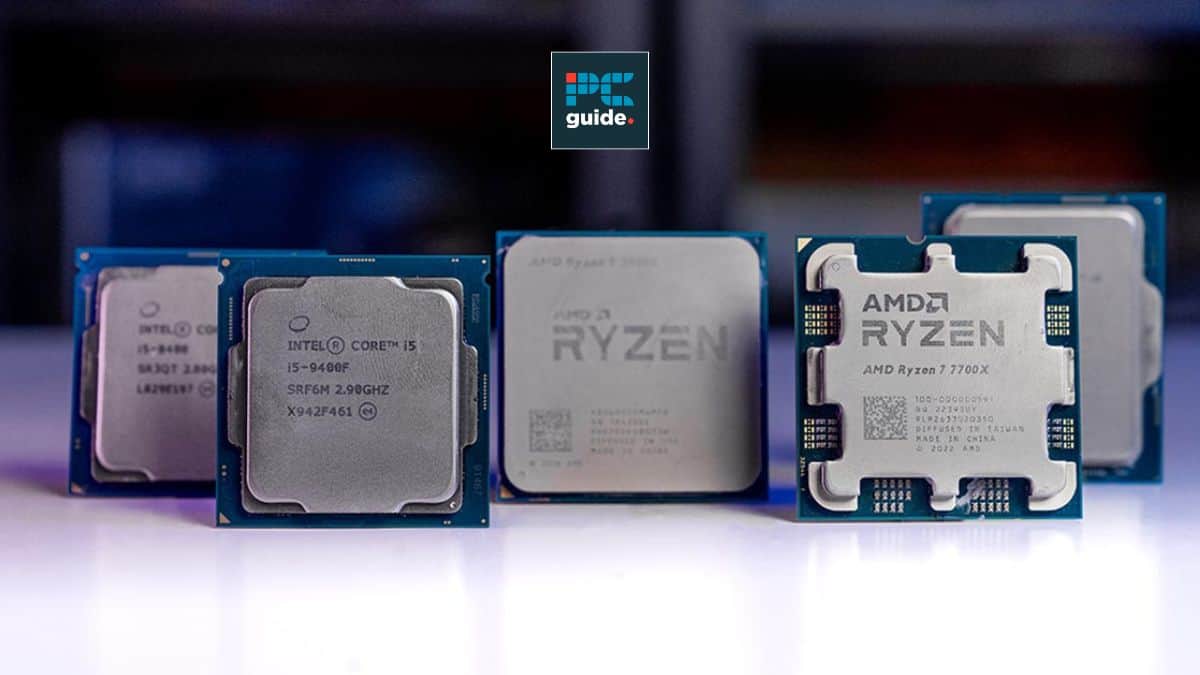

Best CPUs For RTX 5060 Ti In 2026 Our Top Picks Tried And Tested PC Samsung TV Remote Codes Featured Image 29 . 8 Best Gaming And Streaming CPU 2026 Reviews Performance Featured Image Zzsnrx91 . Best Processors For Gaming In 2026 For Every Budget Technoid Gaming PC Best Processors For Gaming In 2026 Top Picks For Every Gamer 7de5830b 3b61 4373 82b8. 12 Best CPU For Gaming March 2026 Processors Tested Ranked Featured Image Q3q6lajs . Best Xeon Processor For Gaming In 2026 YouTube

12 Best Current CPU For Gaming 2026 Expert Reviews Featured Image 6ald4xcj . Intel Vs AMD Which CPUs Are Better In 2025 . 12 Best AMD CPU For Gaming 2026 Tested Ranked Featured Image Pj0dxlou 300x210 . Best Gaming Intel CPU 2026 8 Models Tested Compared Intel CPU . TESTED Best CPU For Gaming In 2026 YouTube



Best I5 CPU For Gaming 2026 Top 8 Models Tested Best I5 CPU For Gaming . Best AMD CPU For Gaming And Streaming 2026 Top 8 Zen 5 Processors Ranked Best AMD CPU For Gaming And Streaming 2026 . Best Gaming I7 CPU 2026 Complete Buyer S Guide Featured Image Ybcoz8v8 . 12 Best CPU For Gaming 2026 Tested And Ranked Featured Image 59d640hz . Best Gaming Laptops At CES 2026 RTX 5090 Options Dual Screen Picks Lenovo Legion Pro Rollable Concept
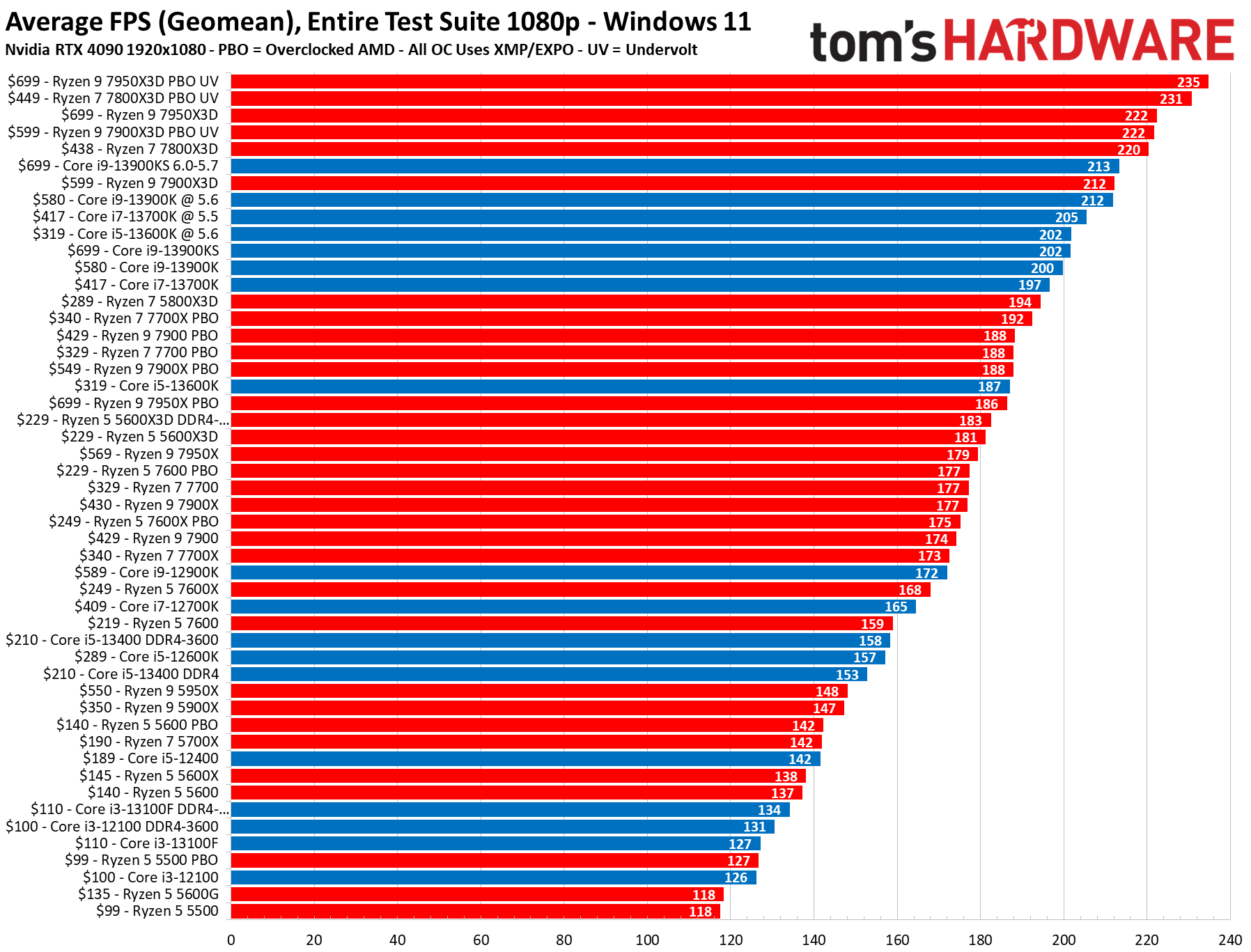

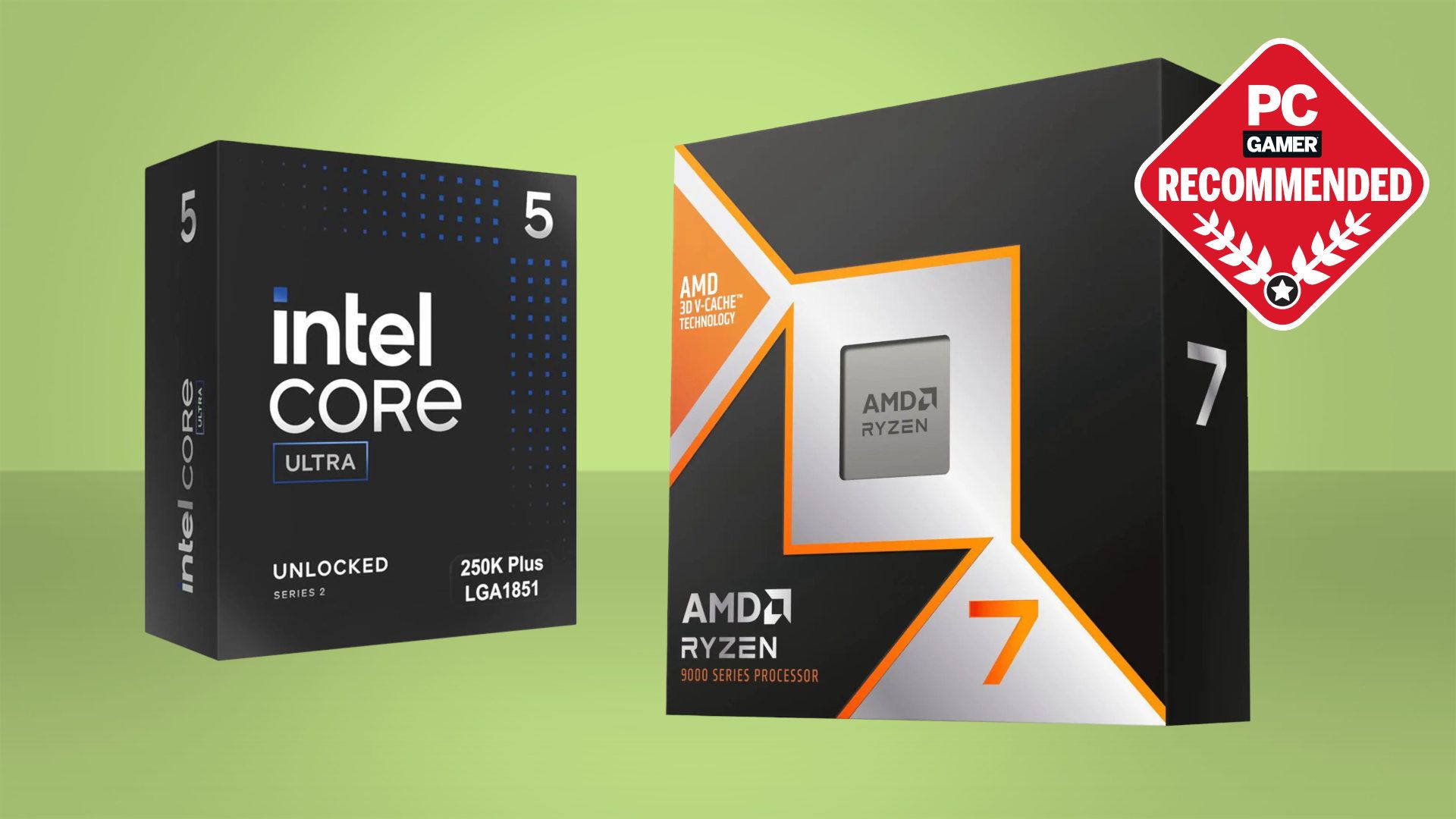
AMD Gained Consumer Desktop And Laptop CPU Market Share In 2024 Server . Best Gaming CPU 2026 Ryzen 7 9800X3D Vs 9600X Vs Intel Best Gaming Cpu 2026 768x432 . Best CPU For Gaming In 2026 These Are The Chips I Recommend For Gaming 1920 80 . Best CPU For Gaming 2026 Top Gaming Processor The Best CPU For Gaming In 2026 01 480x288 . 8 Best Intel CPU For Gaming June 2026 Expert Reviews Best AMD Ryzen CPUs For Gaming 300x164



Best Gaming AMD CPU 2026 Expert Reviews Benchmark Tests Featured Image Riqw026n . 10 Best CPU Integrated Graphics March 2026 Complete Guide To Gaming Best CPU For Gaming PC . Arnold CPU Vs GPU In Maya 2026 Which One Should You Choose Arnold Arnold CPU Vs GPU In Maya 2026 Which One Should You Choose 3 . Best CPU For High End Gaming 2026 AMD Ryzen 9800X3D Dominates Best CPU For High End Gaming . Best Cores On CPU For Gaming March 2026 Buyer S Guide Model Tested Best Cores On CPU For Gaming


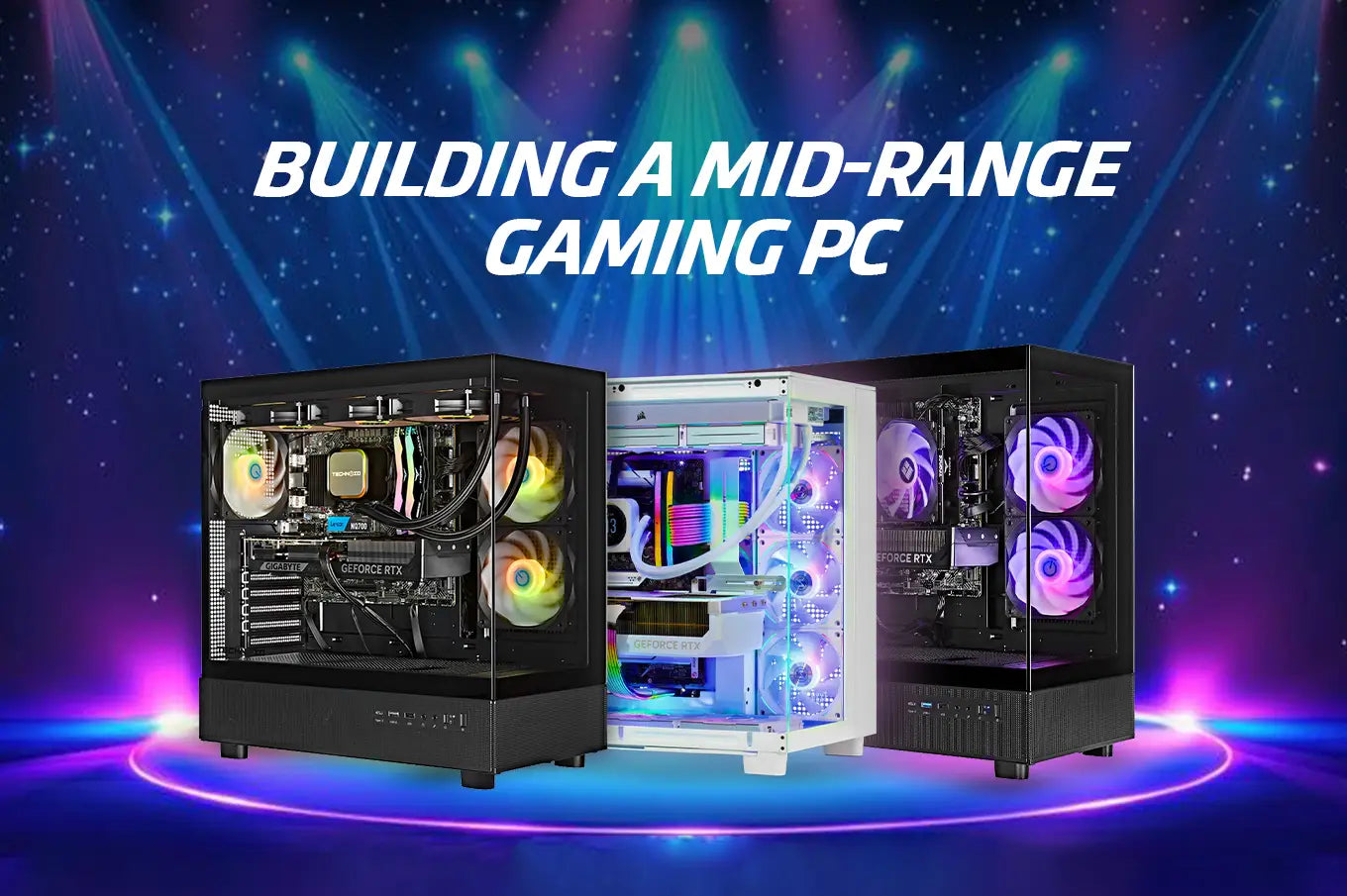
Best Gaming Processor 2026 AMD Vs Intel Comparison Complete Guide Cpu Gaming Intel. Ultimate Gaming PC CPU And GPU Buying Guide 2026 NoobFeed Amd Ryzen 5 7600 . Best CPU For Gaming PC 2026 12 Processors Tested By Experts 41kb8AbxbTL . The Best CPU For Gaming In 2026 Tom S Hardware . Best Processors For Gaming In 2026 For Every Budget Technoid Gaming PC Building A Mid Range Gaming PC In 2026 Specs And Tips.webp

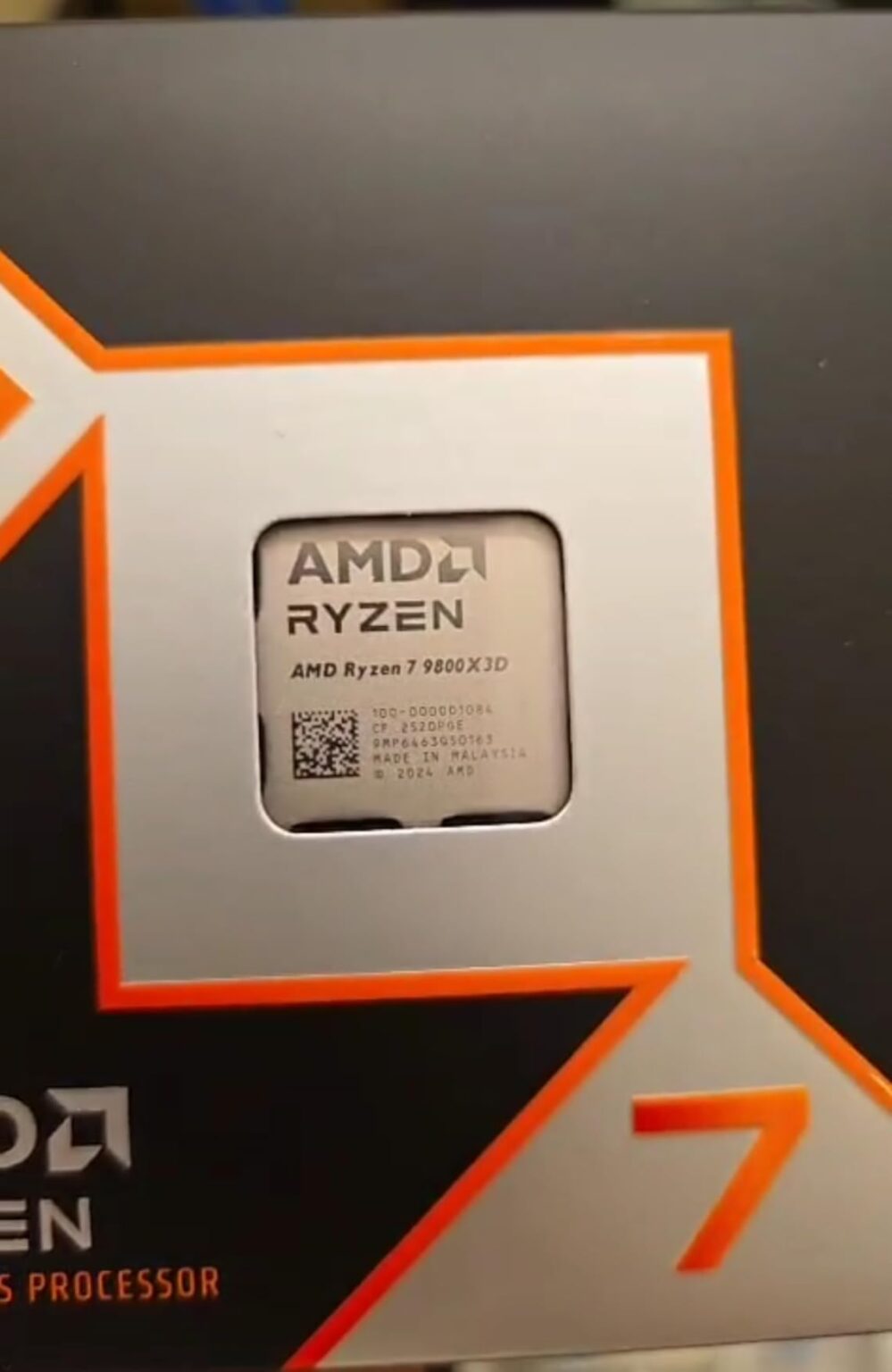
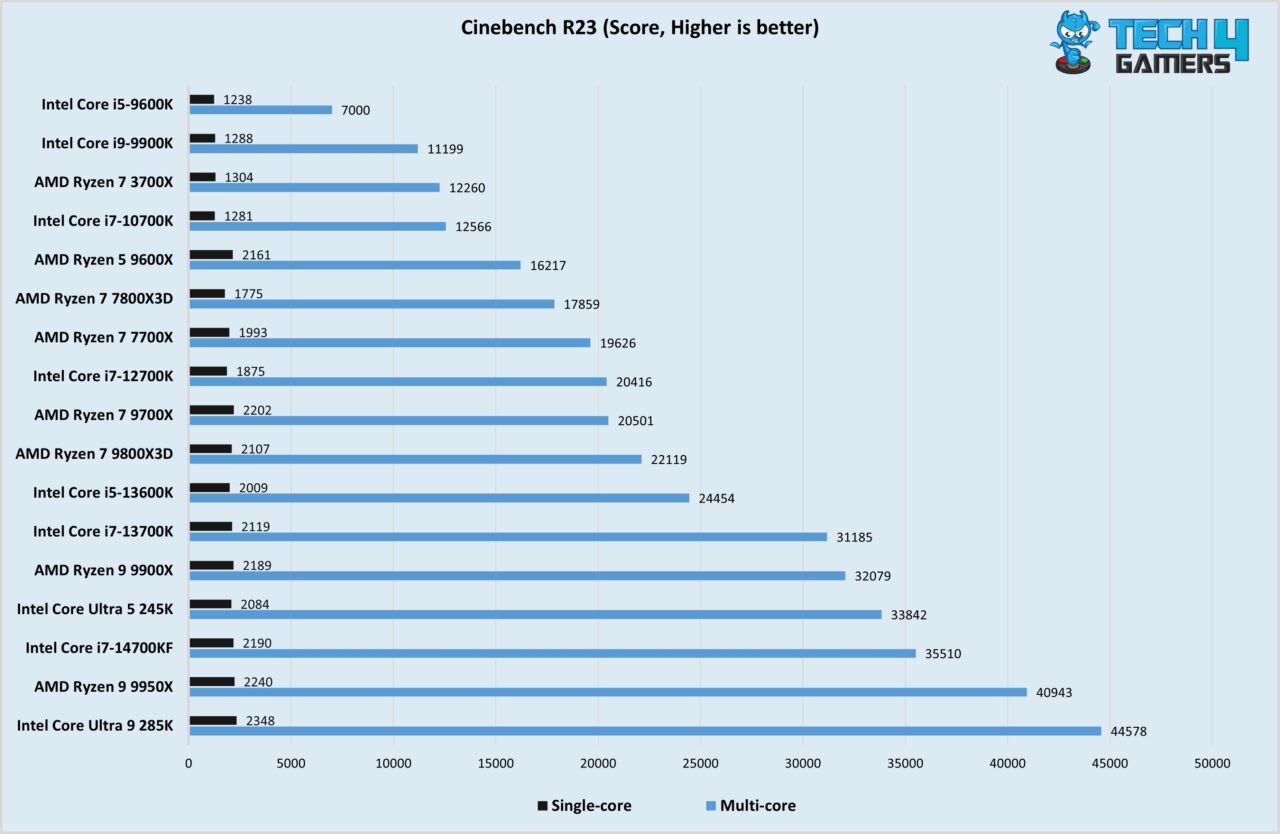
Best CPU For RX 5700 XT In 2026 AMD And Intel CPUs Included Best Cpu For Gaming 300x169 . 10 Best CPU For Workstation 2026 Processors Tested Best CPU For RTX 3070 . Best Gaming Intel CPU 2026 8 Models Tested Compared Featured Image T5c 8utg . 12 Best CPU For Gaming Benchmarks 2026 Processors Tested B0DKFMSMYK Customer 2 999x1536 . Best Budget CPUs In 2026 With Gaming Benchmarks Intel Core Ultra 5 245K Cinebench R23 Test Image By Tech4Gamers 1280x834